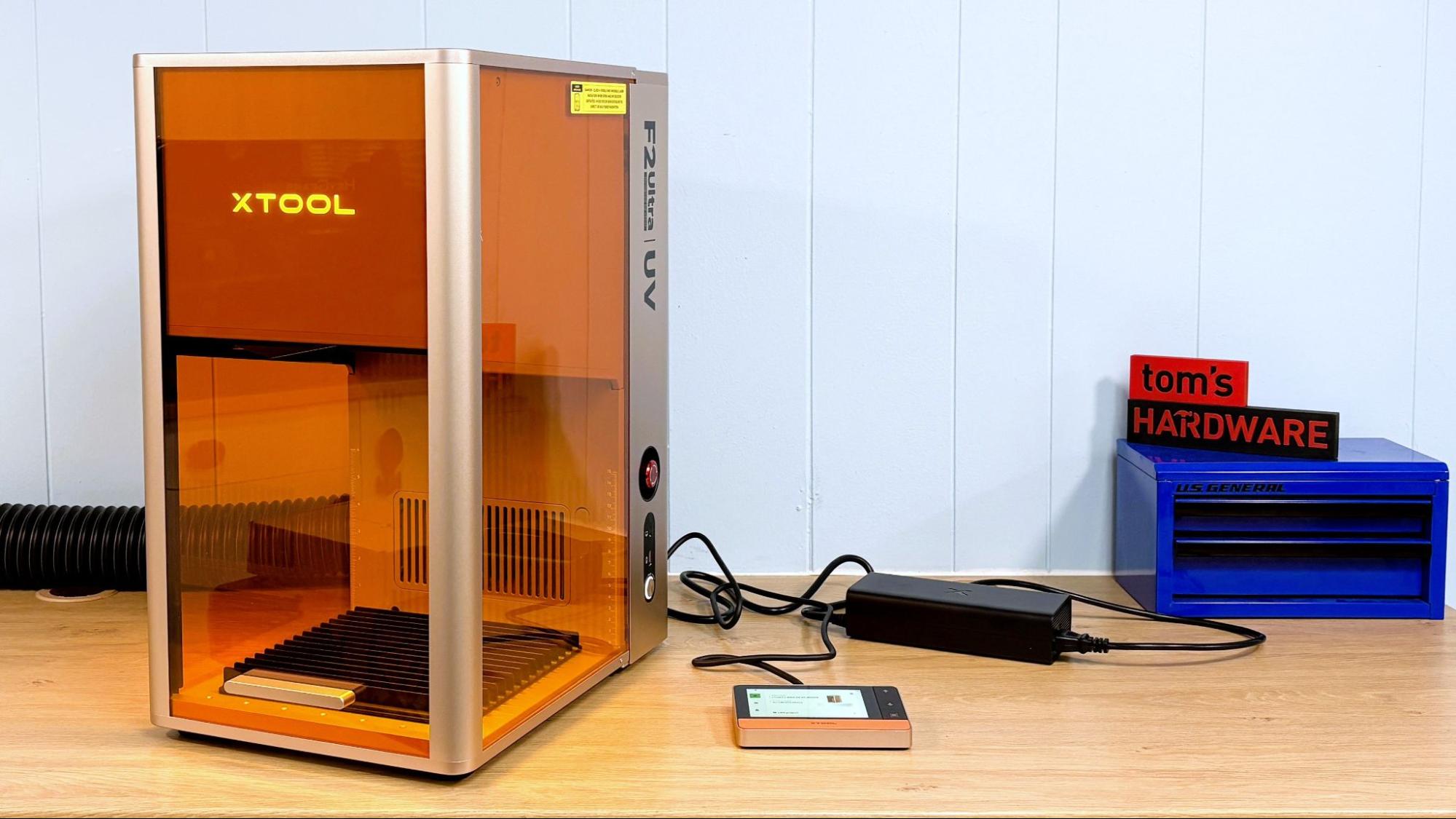
The xTool F2 Ultra UV laser is not your ordinary laser. Normally, lasers mark, engrave, and cut by burning the material. Instead, a UV laser uses a shorter wavelength of light (355 nm) that produces a photochemical reaction that breaks down the material instead of simply setting it on fire. These are called “cold” lasers, but I still wouldn’t put my hand in there.
The UV laser generates extremely clean cuts and engravings in wood and plastic that are simply not possible with other types of lasers. It's also able to etch glass and crystal, and can actually engrave the INSIDE of glass for some fantastic effects.
The F2 Ultra UV is a galvo laser. Instead of moving around on a gantry, the laser is stationary while the beam is directed by galvanometer mirrors. It’s extremely fast and capable of “moving” at 15,000 mm/s. The downfall of many galvo lasers is that they lose focus the farther away from the center point the beam travels. At the edges of the 200 x 200 mm work area, the F2 Ultra UV still does a great job.
The F2 Ultra UV is part of a family of lasers. The F2 is a portable “standard” diode laser, the F1 Ultra has both a diode and a fiber laser for etching metal, and the F2 Ultra is a 60W MOPA with a 40W diode. I wish the UV laser had been given its own class, as this is a confusing cluster of machines.
The retail price for the F2 Ultra UV starts at $4,299. It's pricey, but it can handle everything but metal and is the only laser that can handle crystal. This makes it a good all-around machine for many home and business uses. For that, it’s going on the best laser cutter list for a small business.
Specifications: xTool F2 Ultra UV
Machine Footprint | 294 mm x 429 mm x 520 mm (11.57'' × 16.88'' × 20.5'') |
Machine Weight | 22.5 kg (49.6 lbs) |
Engraving Size | 200 mm × 200 mm (7.9" × 7.9") |
Inner Engraving Size | 70 mm x 70 mm (2.8” x 2.8”) |
Engravable Material | Glass, Crystal, Acrylic, Wood, Metal, Leather, Plastic, Rubber, Silicone, Ceramic |
Cuttable Material | Glass, Plastics, Fabric, Leather, Acrylic (Not Fully Transparent), Paper, Wood |
Laser Type | 355 nm UV |
Laser Power | 5w |
Cutting Platform | Included (flat, slatted panel, and riser) |
Connectivity | USB, WI-FI/IP |
Interface | Corded Touch Screen with Start Button |
MSRP | $4,299.00 |
Pre-order Launch | November 14, 2025 |
xTool F2 Ultra UV: Included in the Box
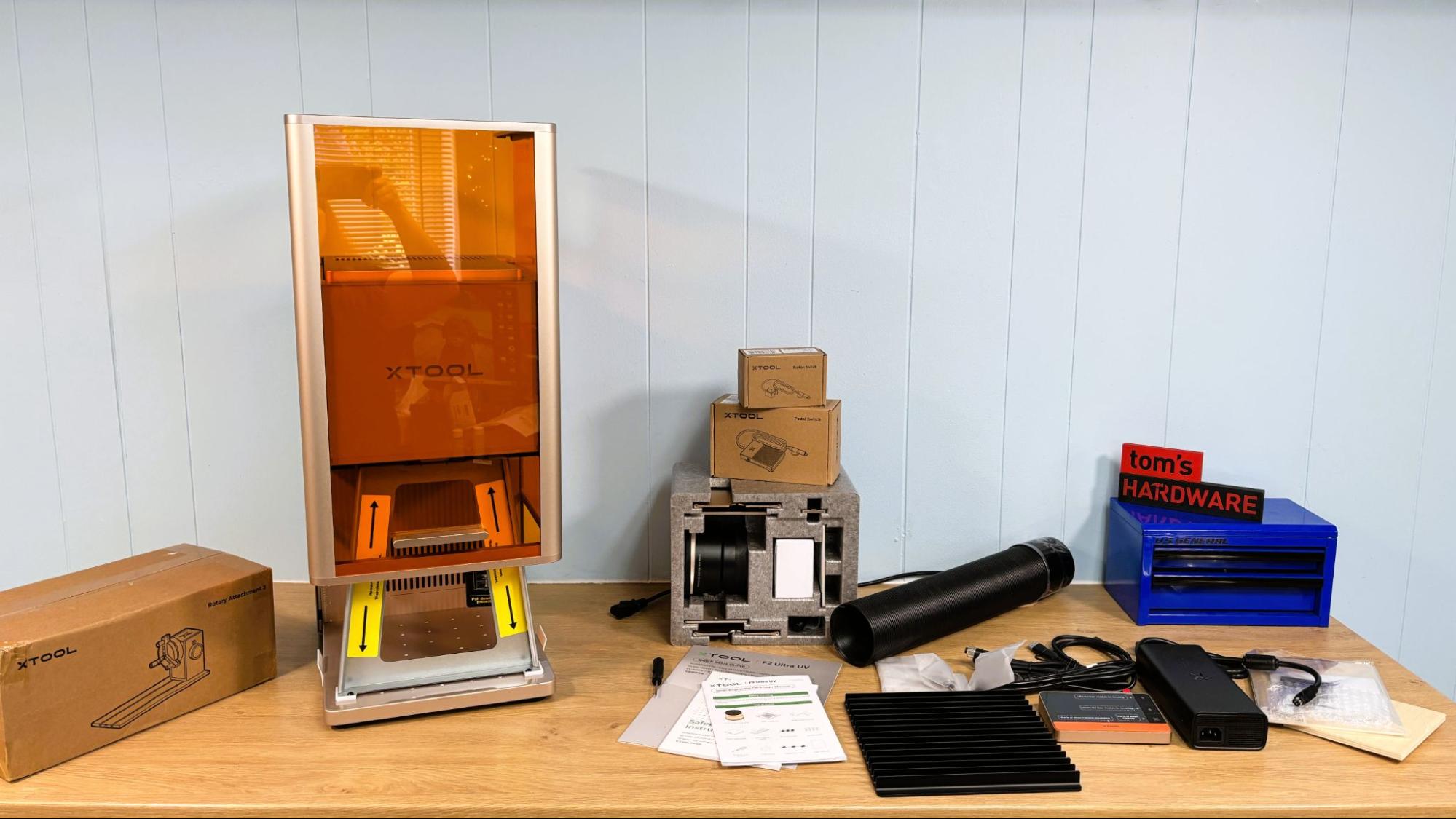
The xTool F2 Ultra comes fully assembled, with the surface engraving lens in place. The inner engraving lens and riser are packed in a reusable foam box. Also included is a slatted cutting plate, corded touch screen, equipment safety key, surface engraving material pack, tool kit, cables, and paper copies of the quick start guide and safety instructions, For the review, we also received the optional button and pedal switches, rotary attachment, the xTool SafetyPro AP2 fume extractor, and a bunch of glass and crystal materials for testing.
Design of the xTool F2 Ultra
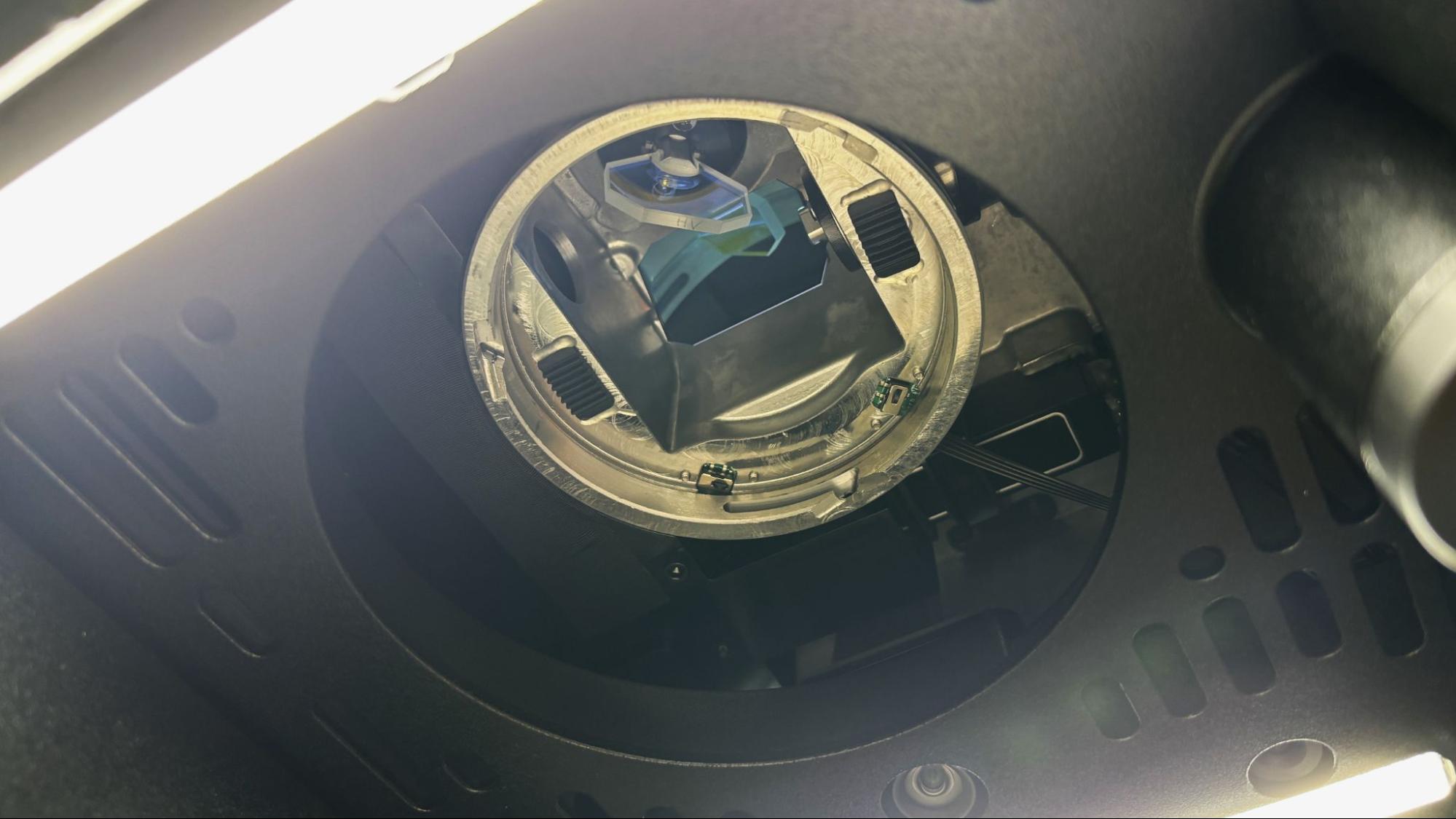
The xTool F2 Ultra UV is a galvo laser with a 355-nanometer wavelength. At this wavelength, the laser marks by way of a cold photochemical process rather than just burning. Unlike a flat bed laser, which has the laser on an XY carriage and moves across the work area, a galvo laser is fixed in place and moved with two galvanometer mirrors. Since these mirrors are small and light, they can be used to move the laser beam extremely fast, up to 15,000 mm/s.
The only downside is that the laser’s work area is roughly cone-shaped, and the beam tends to lose focus the farther it moves from the center. The xTool F2 Ultra UV does an excellent job cutting and engraving throughout the entire 200 x 200 mm work area.
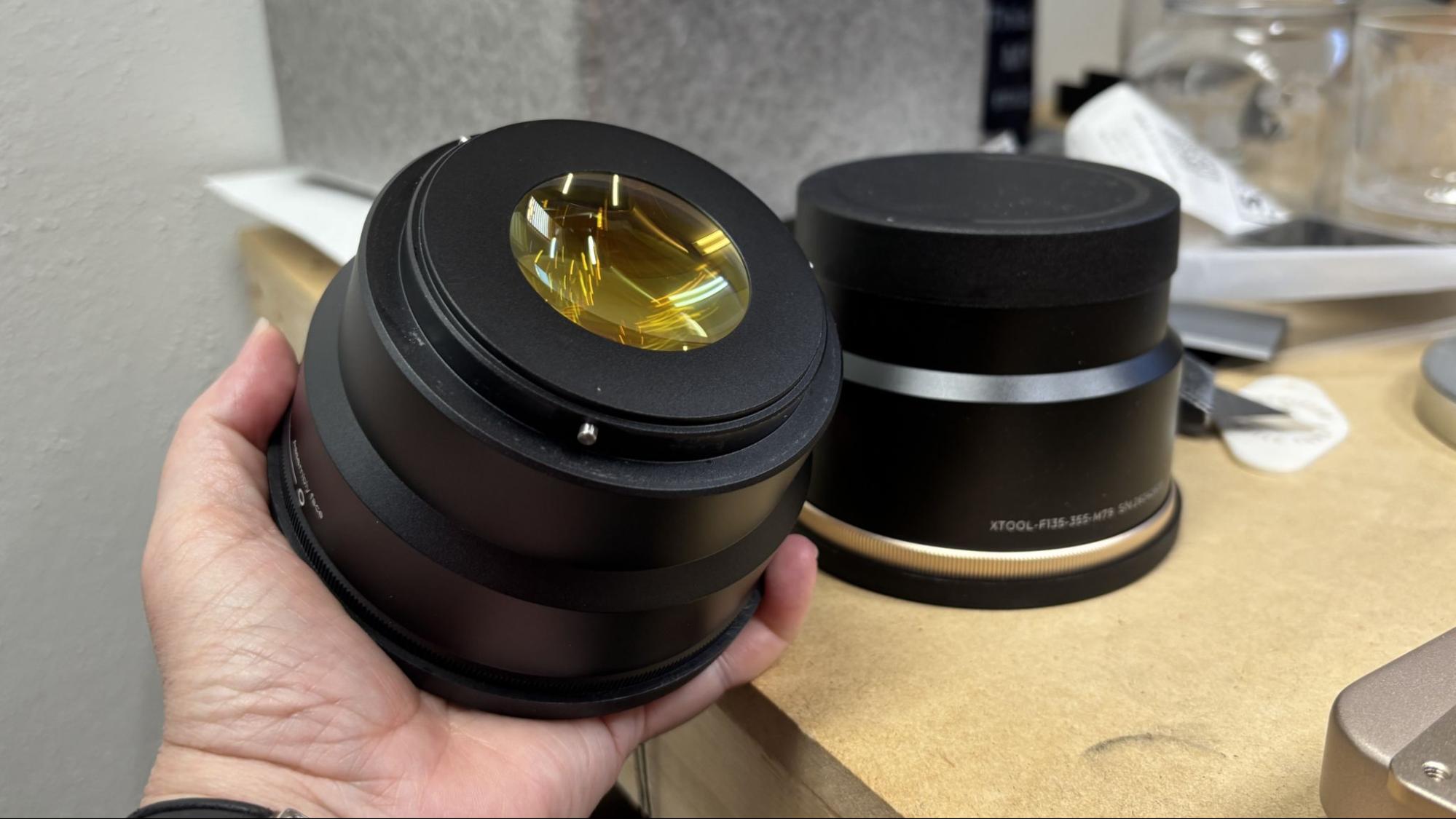
The xTool F2 Ultra UV comes with a lens for surface engraving and cutting and a lens for inner engraving. These attach to the laser with a quarter turn.
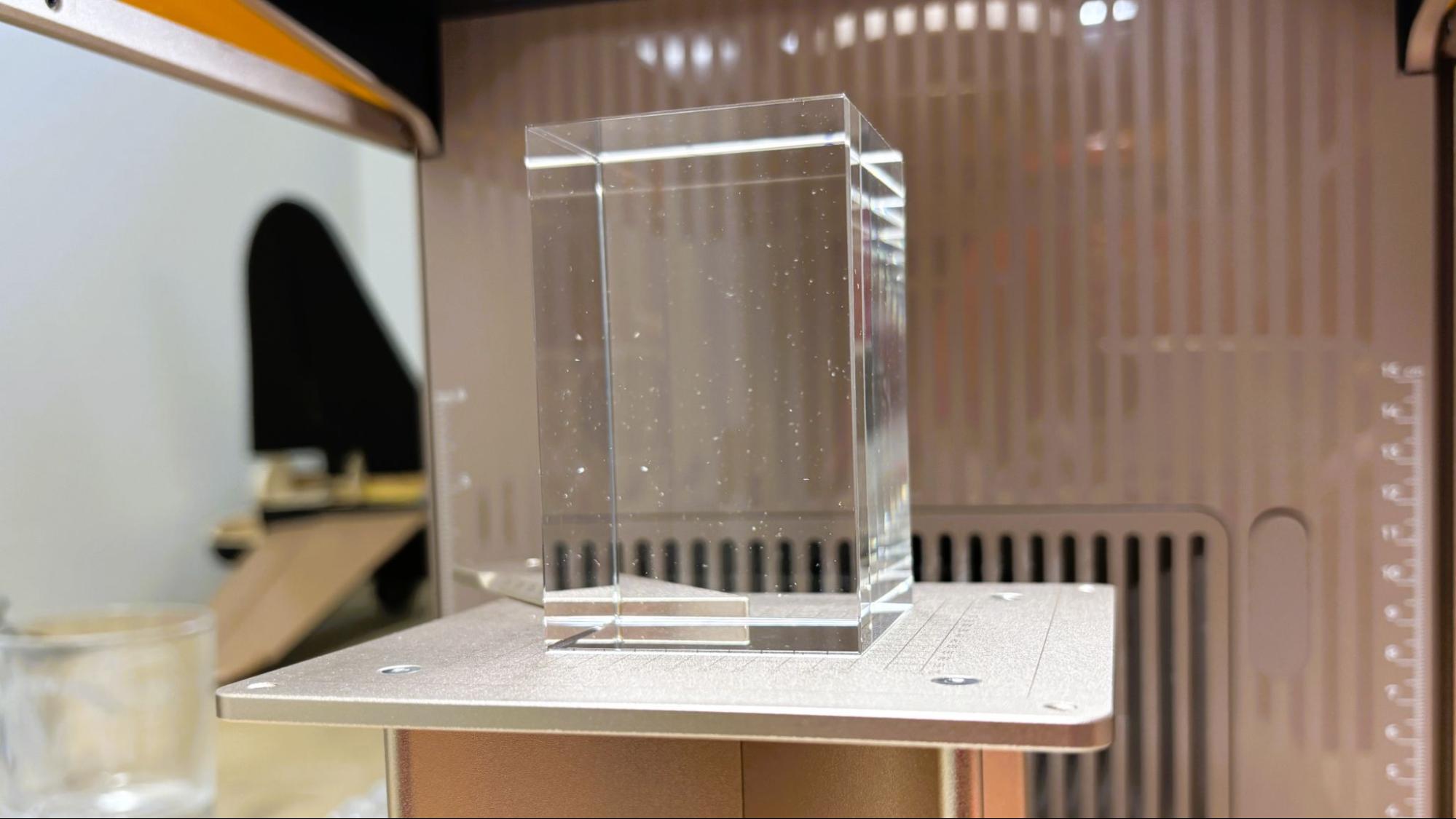
The inner engraving lens requires the installation of the included riser, which is attached to the baseplate of the laser with two thumb screws.
The xTool F2 Ultra UV has a nicely counterbalanced cover which slides down for protection against direct or scattered laser radiation. The laser will not operate without the cover in place, unless this safety feature is disabled in the printer’s software. We only needed to do this while using the optional rotary attachment.
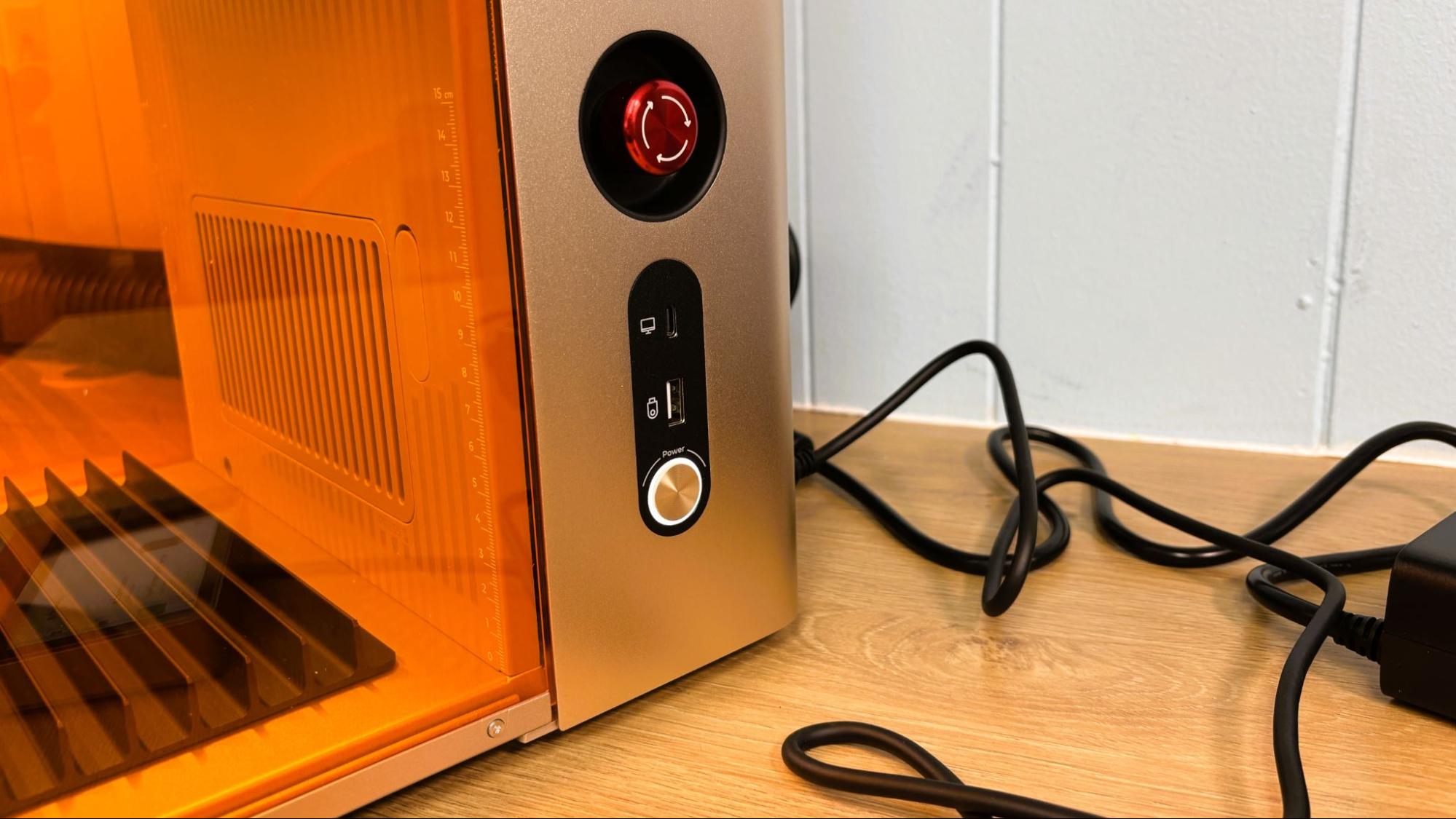
On the right side of the machine, there is a large red emergency stop button, the regular power button, A USB-C port for attaching a PC to the laser, and a USB-A port for moving files to the laser from a USB drive.
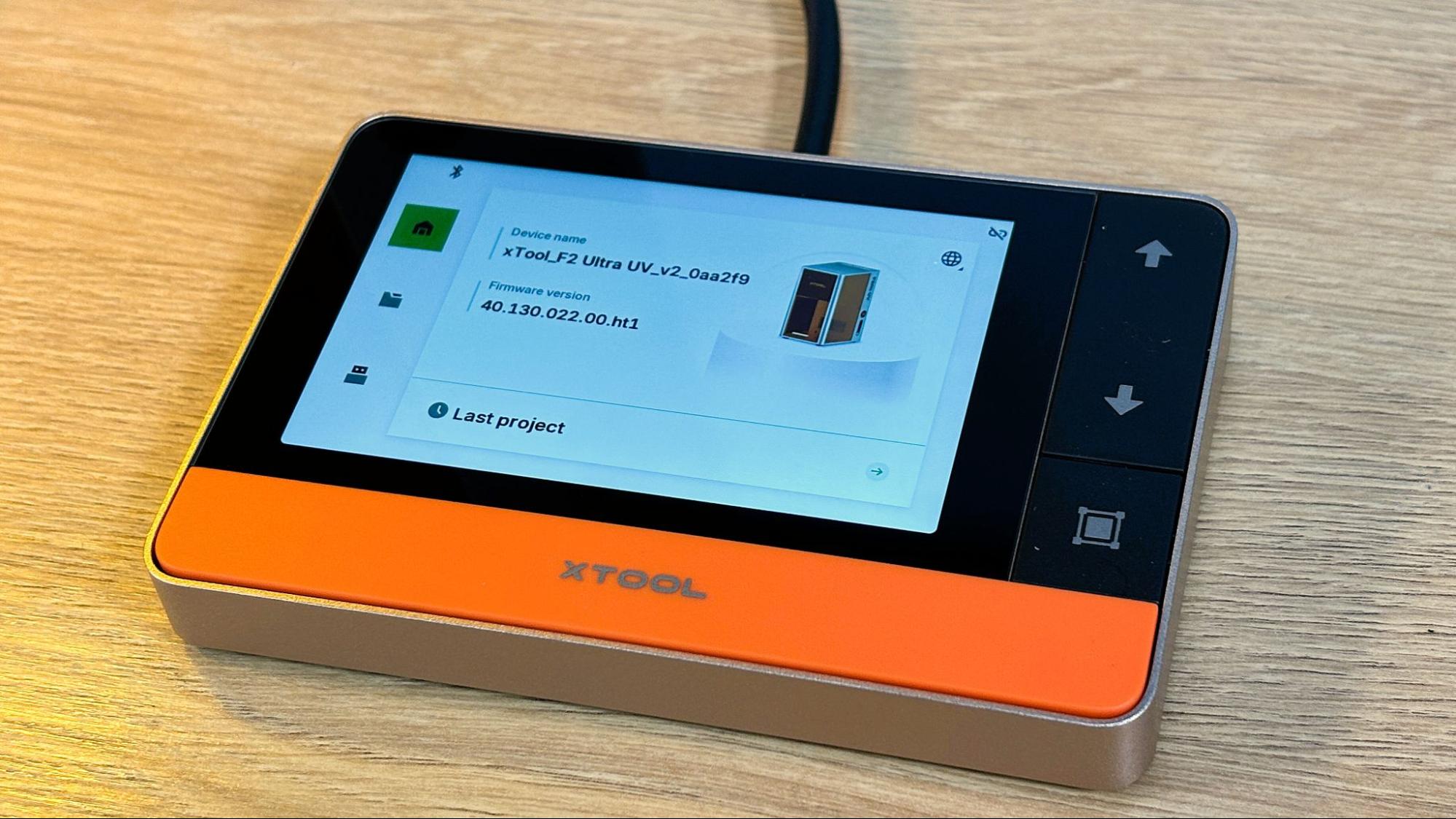
The machine has an excellent corded touch screen which is used to start each print and resume after an alarm or other pause in printing. It shows files available to print from a USB drive and can reprint the last file without the need to resend it. While printing, the screen shows elapsed time and time remaining on the current job.
The xTool F2 Ultra UV has dual 48 MP cameras for positioning, with an accuracy of .2 mm. For surface engraving, the camera did not require calibration, as the positioning was perfect. After attaching the Inner engraving lens, it’s a good idea to calibrate the Z-Axis, which will also require calibrating the inner engraving work area. Our Z-Axis starting point was pretty far off the mark.
The auto focus function works perfectly on everything except glass. Since the beam goes through the glass, a piece of tape or scrap paper needs to be held to the surface to be lasered, and the focus can be set manually from the touch screen. Once the focus is correct, you can subtract out the thickness of the paper, but that level of precision is not really necessary.
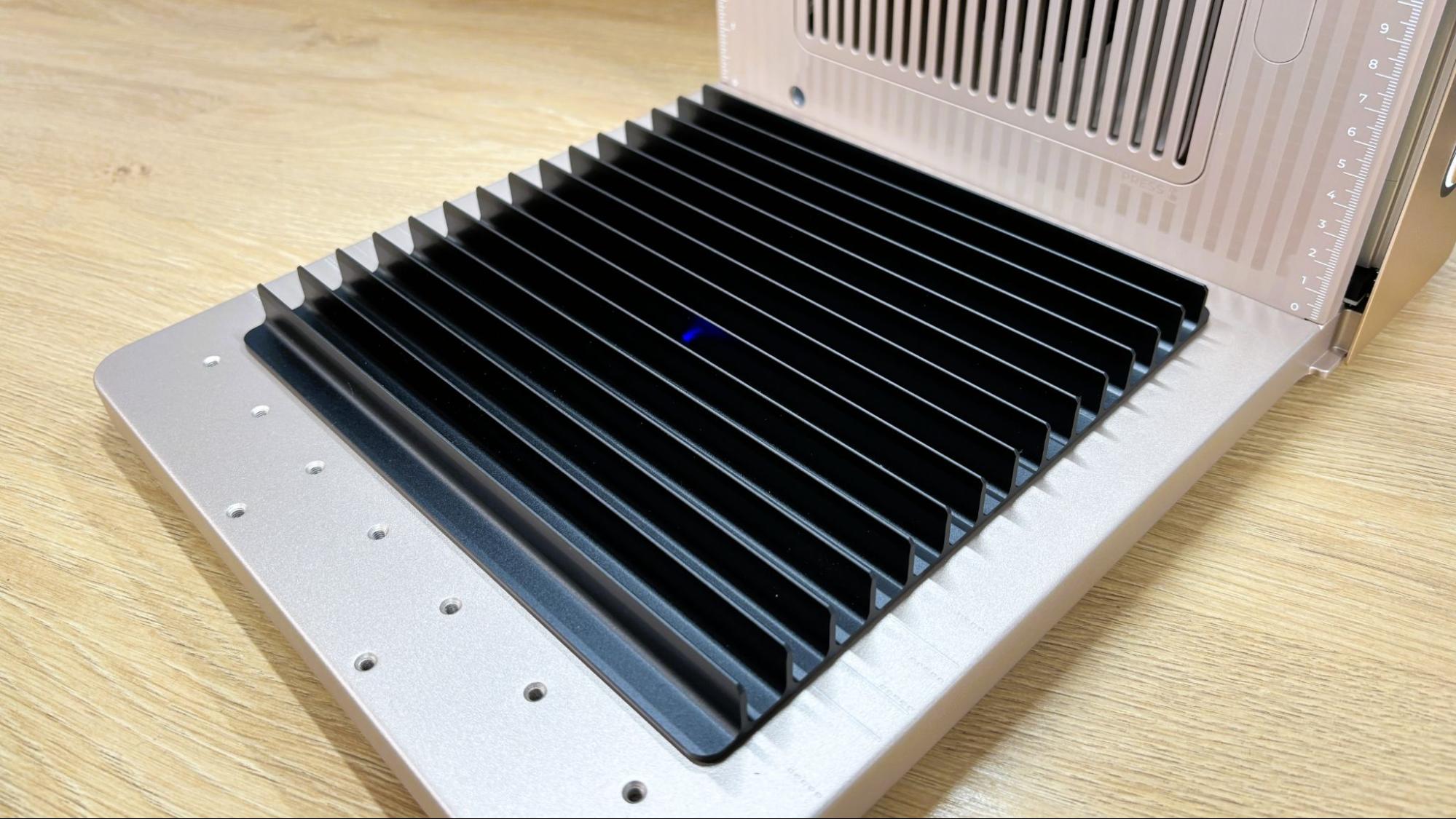
The bottom plate of the laser is anodized aluminum, with threaded holes for positioning jigs and the inner engraving riser. Also included is the black plate for cutting material.
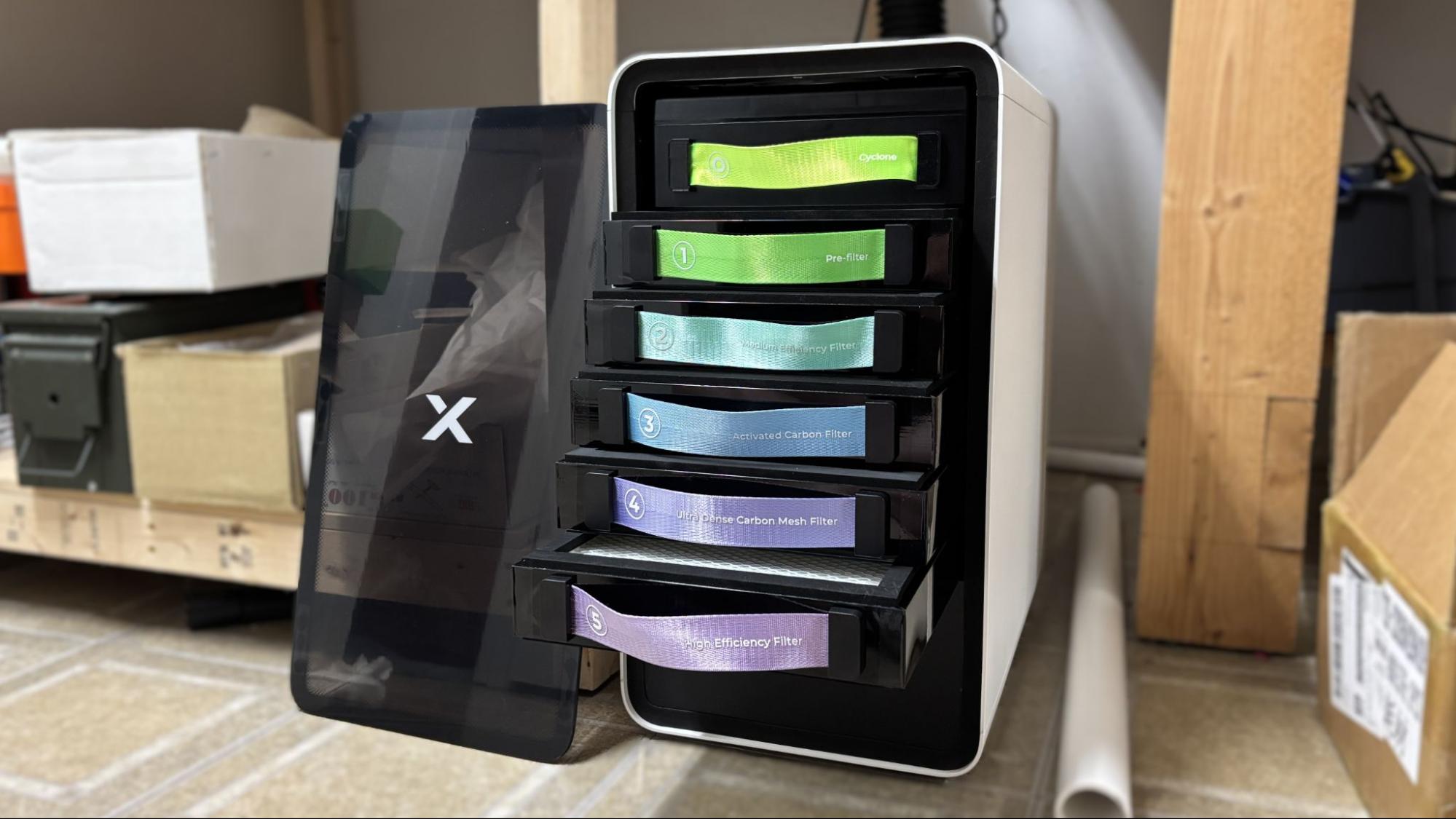
For fume extraction, we received the Safety Pro AP2 air purifier. While the xTool F2 Ultra UV does engrave cooler, it still produces a good deal of smoke when cutting and engraving wood and plastics. Engraving glass doesn’t produce smoke, but it does produce a fine powder of glass, which is mostly sucked into the purifier. The laser has a fan to extract fumes from the chamber, but it must be vented to the outside.
If you aren’t up for installing an exterior vent, the Safety Pro AP2 is a great, though somewhat pricey, choice. It has a six-stage filter that removes every trace of smoke from the air. With the F2 Ultra UV, the Safety Pro AP2 can be set to run automatically when needed, and the filter life cycle is monitored in the xTool App. The filters last between 100 and 600 hours and cost between $20 and $60 presently. The top SuperCyclone filter is cleanable and reusable.
Assembling the xTool F2 Ultra UV
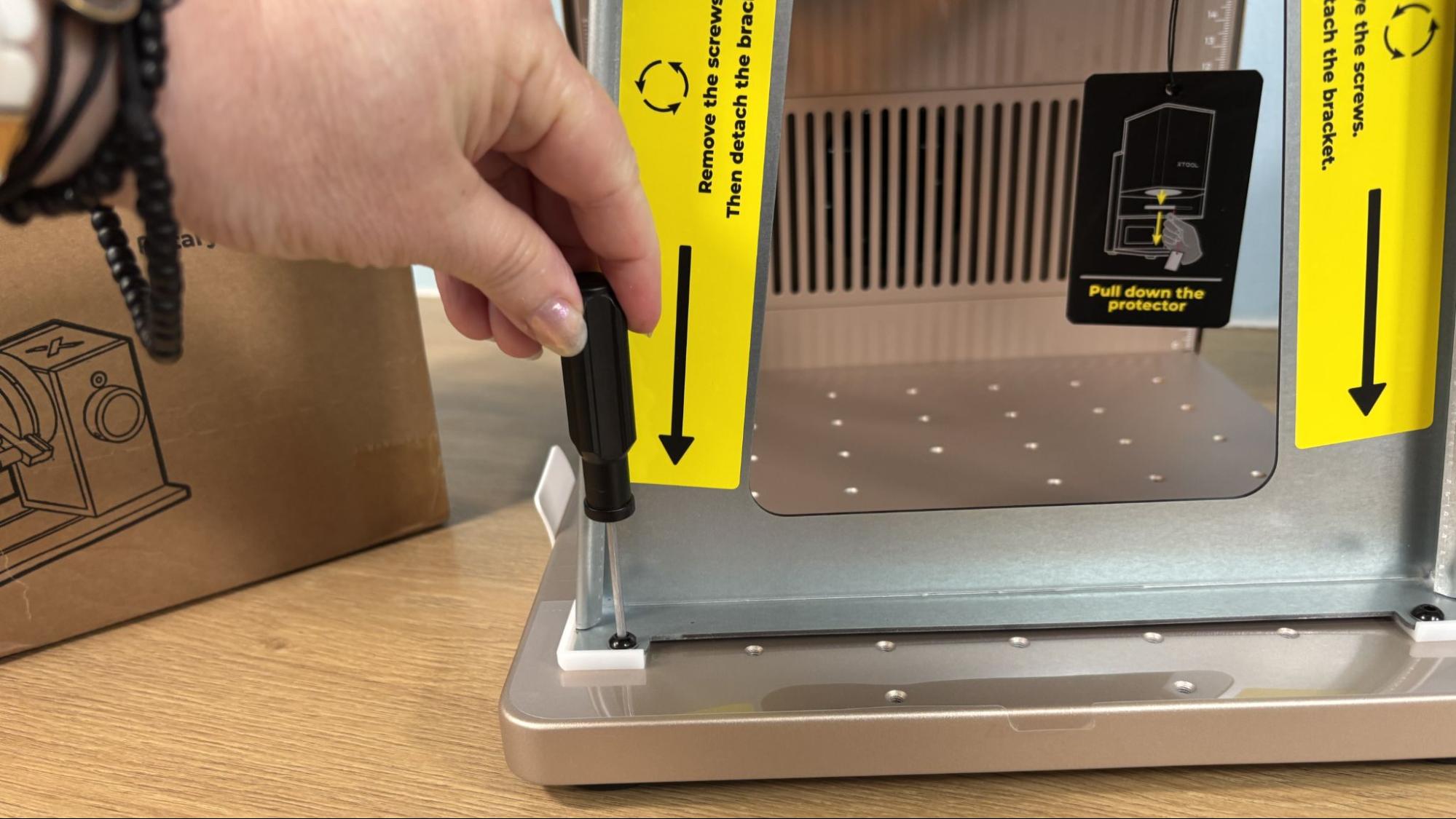
The xTool F2 Ultra UV is fully assembled from the factory with the surface engraving lens installed. Setup requires removing the metal bracket which secures the laser head for shipping.
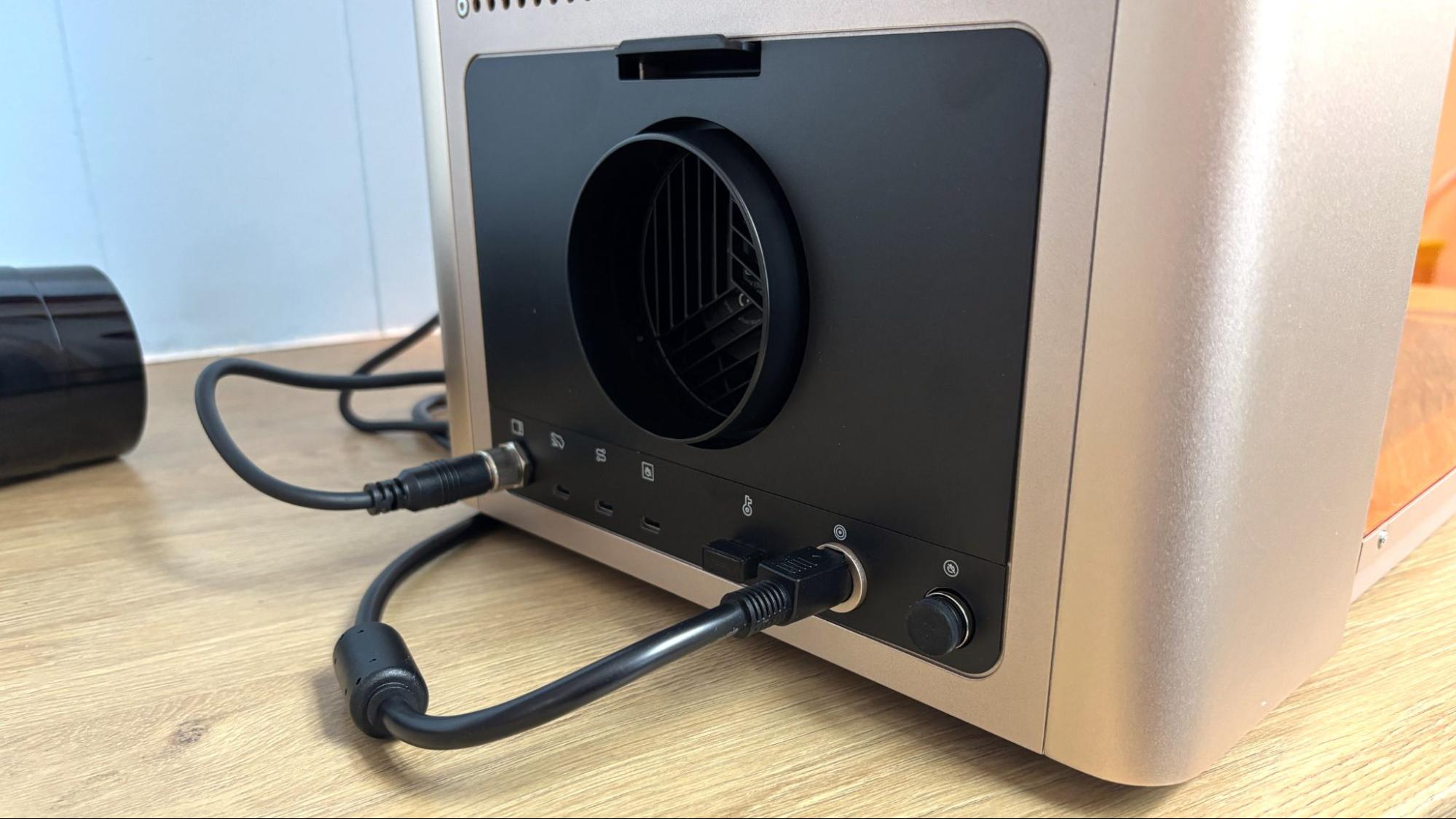
The power cord, touch screen, and exhaust hose attach to the rear of the laser, as does the equipment key. With those in place you are ready to go.
Safety Precautions for the xTool F2 Ultra UV
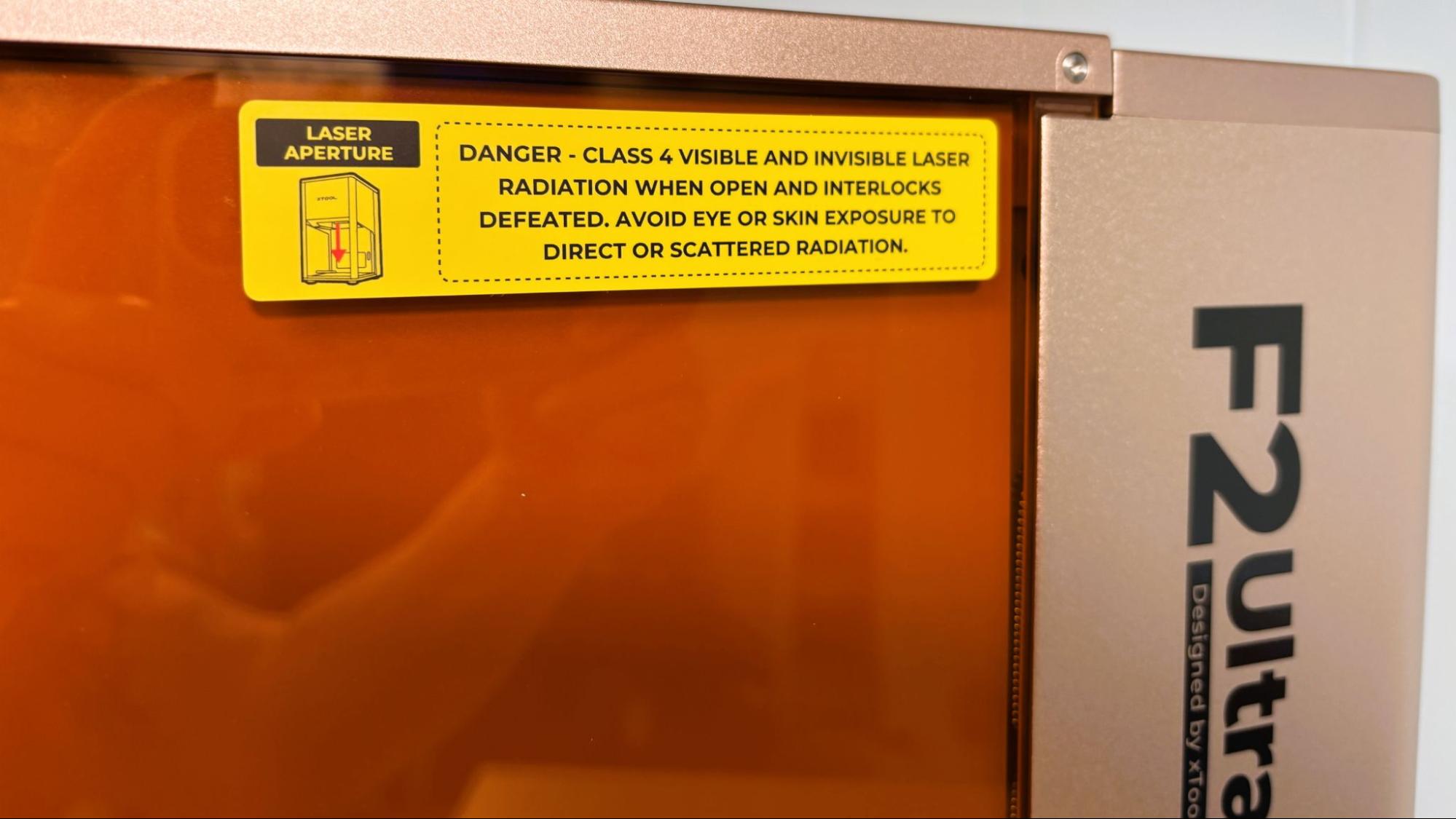
The xTool F2 Ultra UV is a Class 4 laser, which is the highest and most hazardous class of laser. Direct and reflected laser light can cause damage to eyes and burns on skin. The processing of certain materials can produce toxic fumes. Care should be taken when operating this and any laser.
The F2 Ultra UV has an impressive list of safety features to make your experience less hazardous. The enclosure traps both dangerous light and fumes inside it and is set to stop the current process if opened. This safety stop can be overridden in the software, and needs to be for larger jobs and jobs requiring the rotary attachment. The safety will need to be turned back on manually. The machine has a flame sensor which is needed for cutting and engraving wood and plastic. Though the UV laser cuts and engraves cooler than the usual diode and CO2 lasers, it is still possible to cause a fire at higher power levels. If the laser is moved or tilted while in use, it will shut off automatically. As is usual with larger power tools, the xTool F2 Ultra UV has a USB equipment key plugged in the rear of the unit. If little hands are about or if the machine will be idle for a while, this key can be pulled, rendering the laser unable to function. There is also a large red emergency stop button on the side of the machine that can be used to quickly turn the machine off in the event of fire or other immediate issue.
For smoke and other potentially toxic fumes, the xTool F2 Ultra UV has an exhaust fan on the rear of the unit, which needs to be vented to the outside or to a purifier like the Safety Pro AP2. Some materials like PVC and fiberglass should not be burned with a laser due to their chemical makeup. Dallas Maker Space has published a list of safe and hazardous materials to use with their laser.
One necessary safety precaution xTool has stopped providing is safety glasses. They are a good idea if you are operating the laser without the cover in place and are available from xTool on their website.
Software for xTool F2 Ultra UV
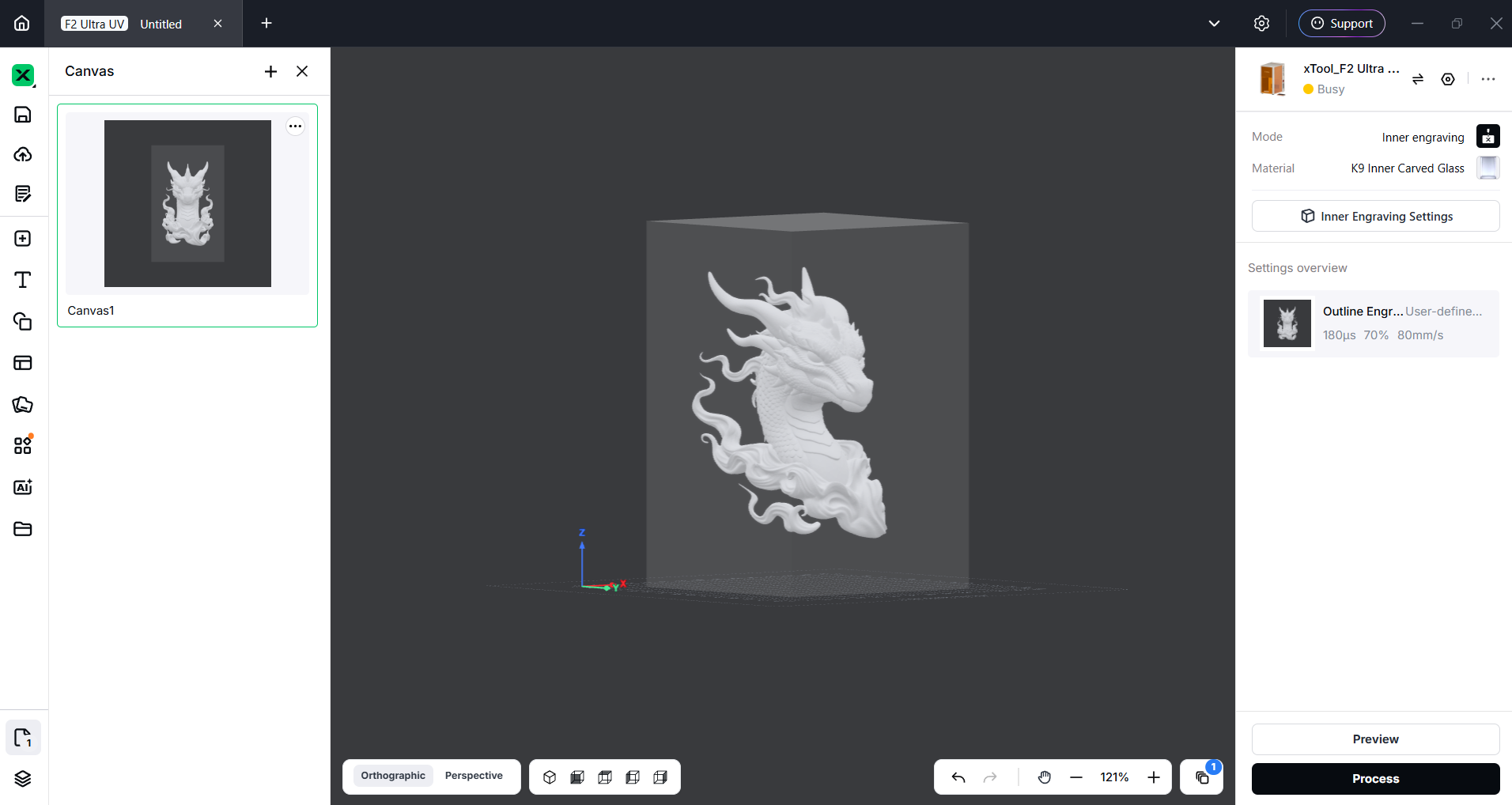
xTool Studio was frustrating when it was first launched and replaced xTool Creative Space. It took some time for all of xTool’s tutorials, material settings, and the maker community as a whole to catch up with the new program. Studio is now what I’ve come to expect and love about xTool. It is the most intuitive and powerful design software I’ve used from any of the major manufactures. It is also simple enough to get good results without being an expert.
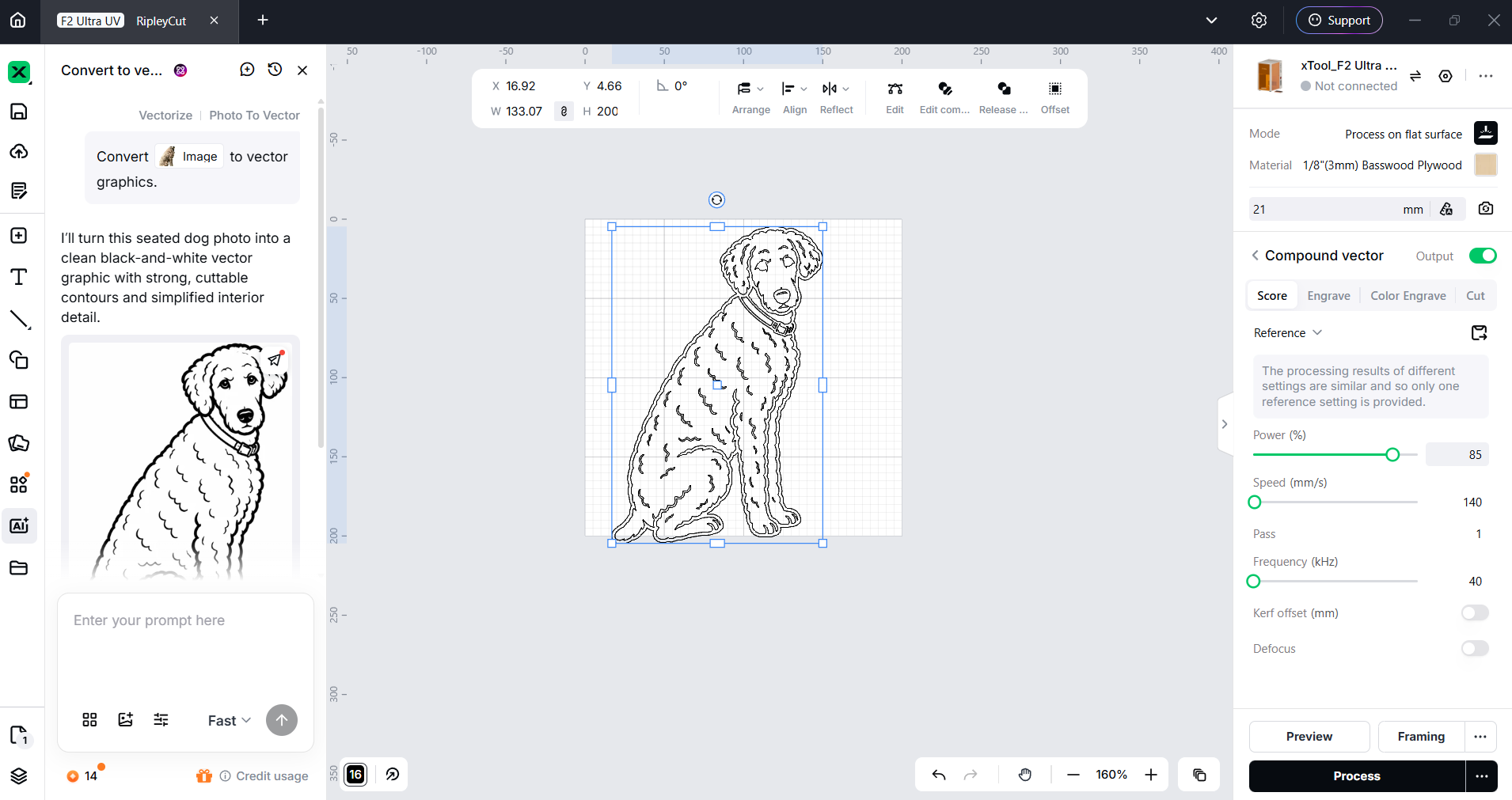
While xTool offers a bunch of free tools to make your projects easier, they also have some excellent tools that cost credits to use. I despise microtransactions in all software. In this case, the credits are not super expensive and can be earned for posting your projects to Atomm, xTool’s file-sharing platform, and for other tasks. There are also currently 3 free uses a month. At best, I can say that there isn’t an annual subscription required to access these tools. They are optional and work well if you don’t have other options for things like removing the background from an image or converting it to a vector.
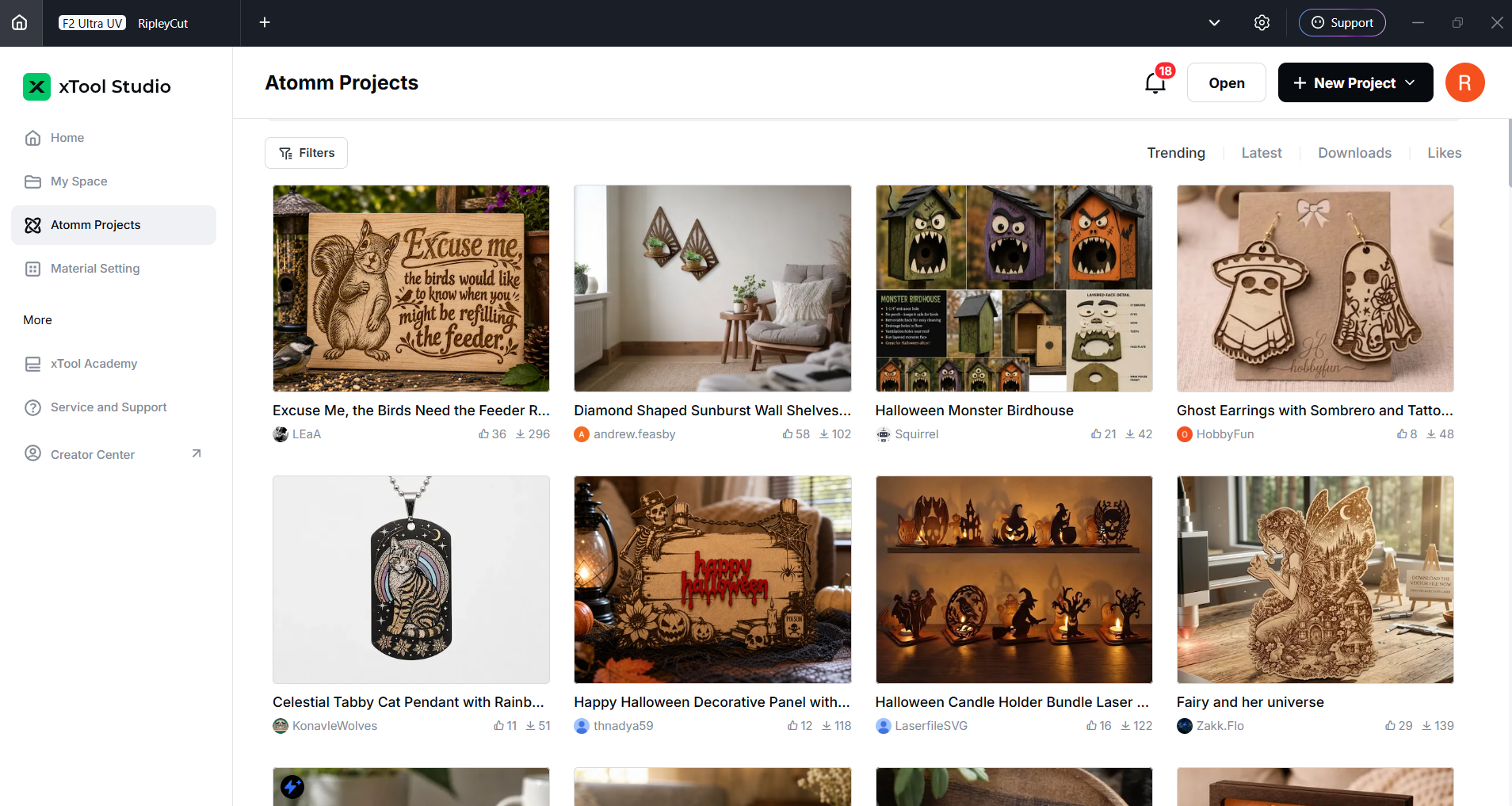
Atomm is available from the home page and offers a ton of projects, mostly free, to give you ideas or just something to create outright. It also has a bunch of tools to create everything from custom key chains to puzzles to boxes.
Engraving / Cutting with the xTool F2 Ultra UV
The xTool F2 Ultra UV is a powerful laser. Five watts doesn't sound like a lot, but it can cut through 15 mm of basswood and 12 mm of acrylic using multiple passes, which is respectable, and it can cut without the usual charring you expect with a diode or CO2 laser.
The UV laser can engrave metal but is really not up to cutting it. For metal cutting, you may want to check out the MOPA-powered F2 Ultra.
xTool has excellent material profiles that cover nearly everything you might want to cut or engrave. They also sell almost everything you might want to engrave, with an eye toward using your F2 Ultra UV as a business.
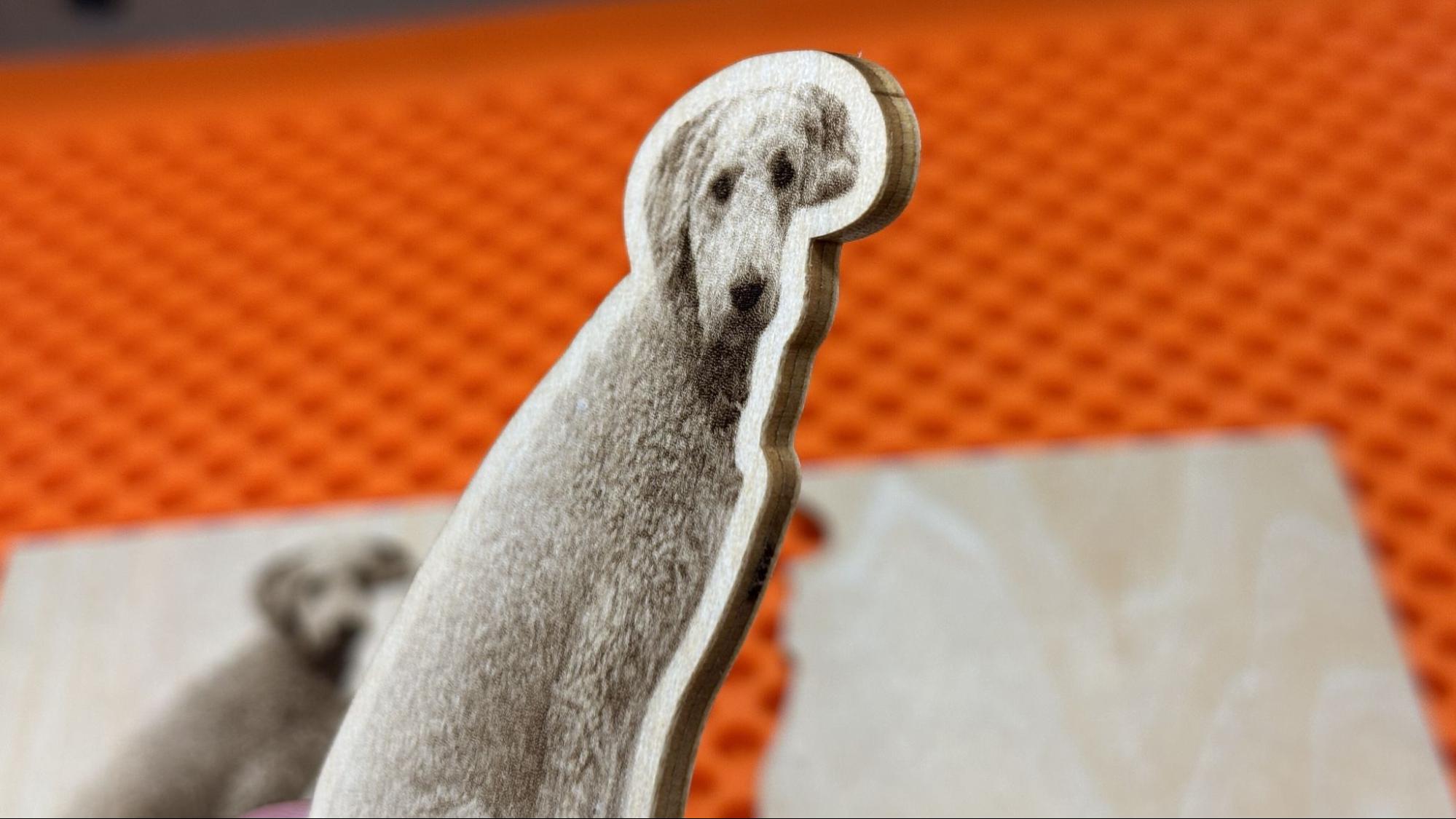
The first test I ran was engraving and cutting out a picture of my dog Ripley. The material is 3mm bass plywood, and I used the default settings. For the engraving, I used 90% power with a dot duration of 800 and using Jarvis mode. For the cut, it was 100% power at 146 mm/s for 44 passes.
To prep the photo I used the AI background remover in xTool Studio which cost 6 credits and sharpened the photo using the free tools. The resulting image is really nice. Using the offset function, I put a cutline around the image and the laser cut it with no charring at all. It might be the cleanest laser cut I’ve ever seen. 44 passes sounds like a lot to cut 3mm plywood but, with the speed of this laser the entire process took only 4 minutes and 28 sec.
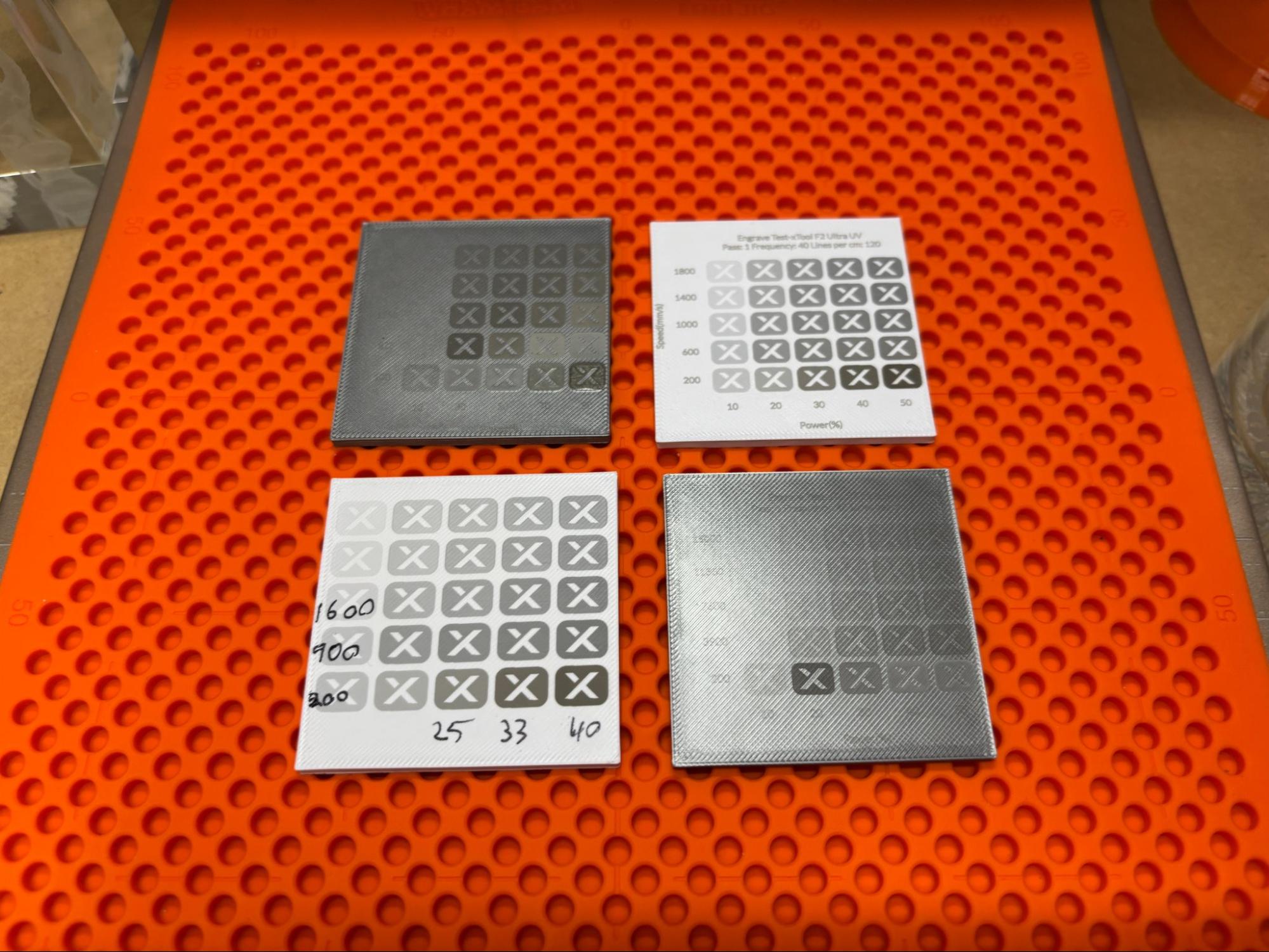
I was intrigued by the F2 Ultra UV’s marking ability on plastic, since it’s much cooler than other lasers. I printed some generic squares to test this out of Bambu Lab silver ABS and Inland white high speed ABS+. Since there is such a wide variety of plastic out there I ran some test arrays using xTool’s black 3D printing ABS material preset as a starting place. The grids were generated by xTool Studio and took only 2 minutes each to print. I learned three things from these tests: It is possible to finely engrave/mark plastic with the F2 Ultra UV. It is also possible to set it on fire. Lastly the Safety Pro AP2 is fantastic at keeping the smell of burning ABS from overwhelming my workshop.
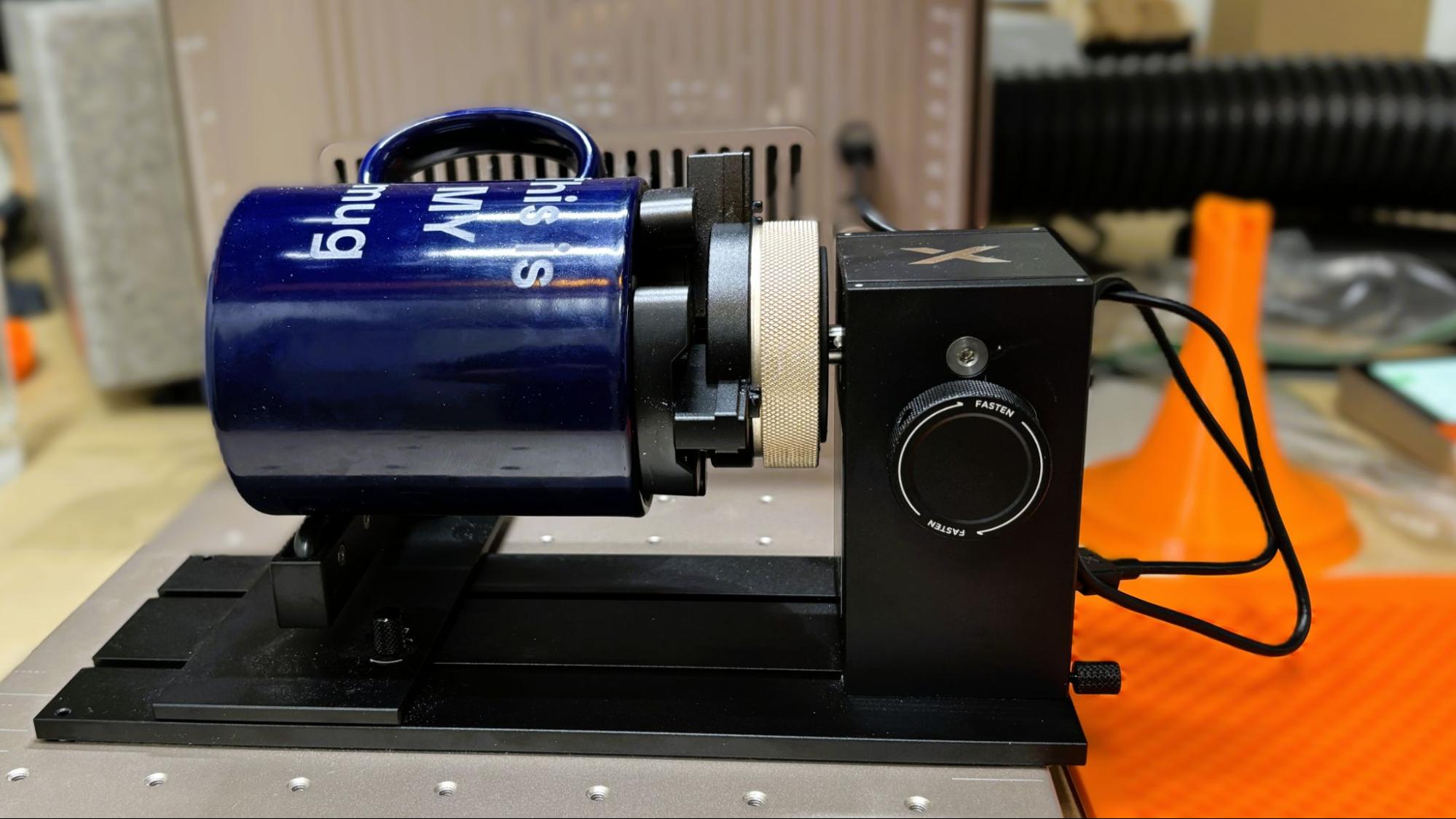
The xTool RA3 rotary attachment can be set to use rollers for cylindrical objects or a chuck to grab onto the inside or outside of items, from rings to tumblers. It works perfectly well; just make sure you choose the correct node since the calculations needed are wildly different.
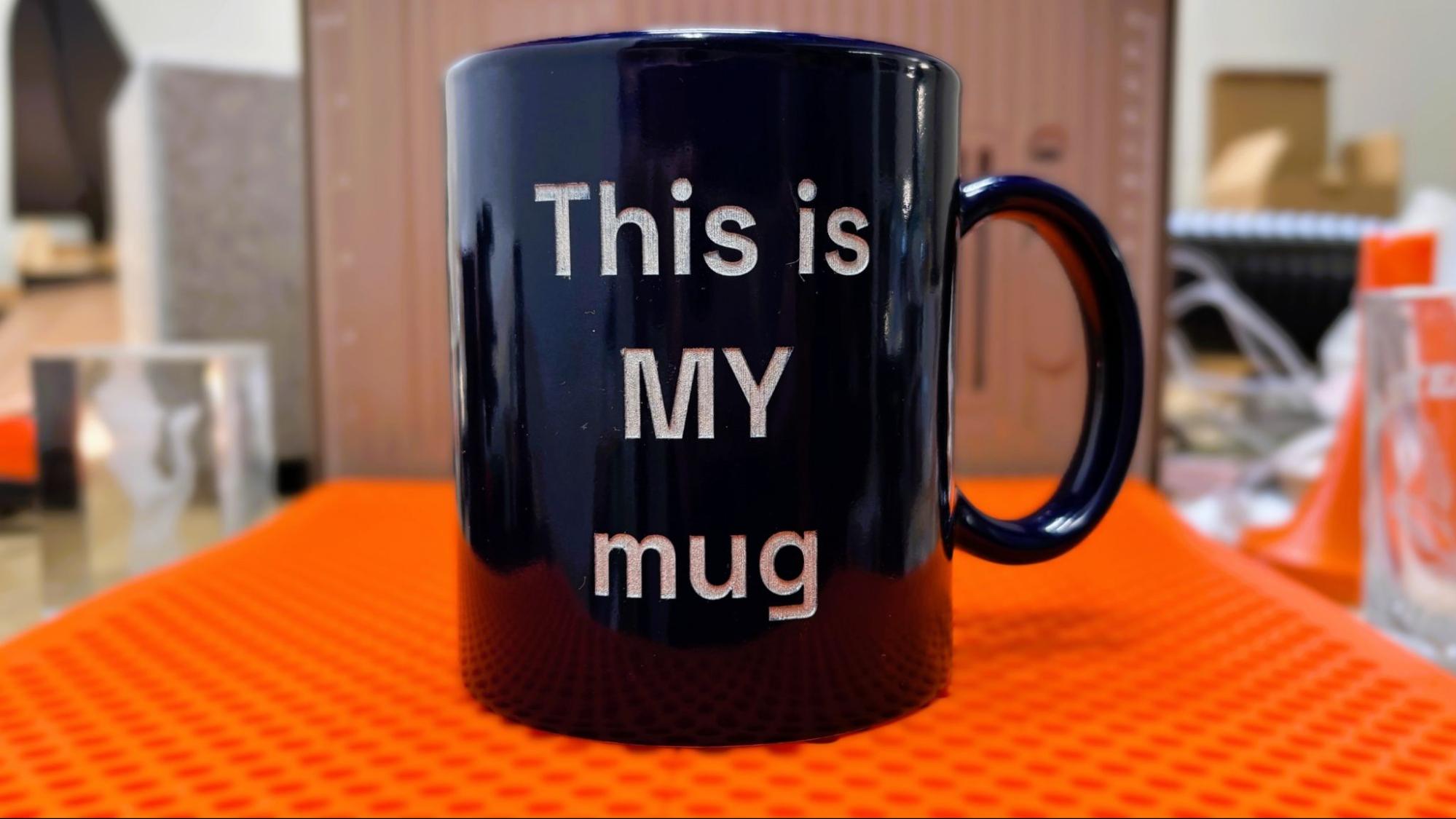
Using the text editor in xTool Studio, I engraved an old coffee mug. Using the white glazed ceramic board material preset, the laser was able to break through the glazing and fairly deep into the ceramic at 100% power at 88 MM/s in 2 passes. It took a while: 40 minutes total. The resulting cut had a nice light blue left over from the glaze. I ran a silver Sharpie permanent marker over the letters to make them pop.
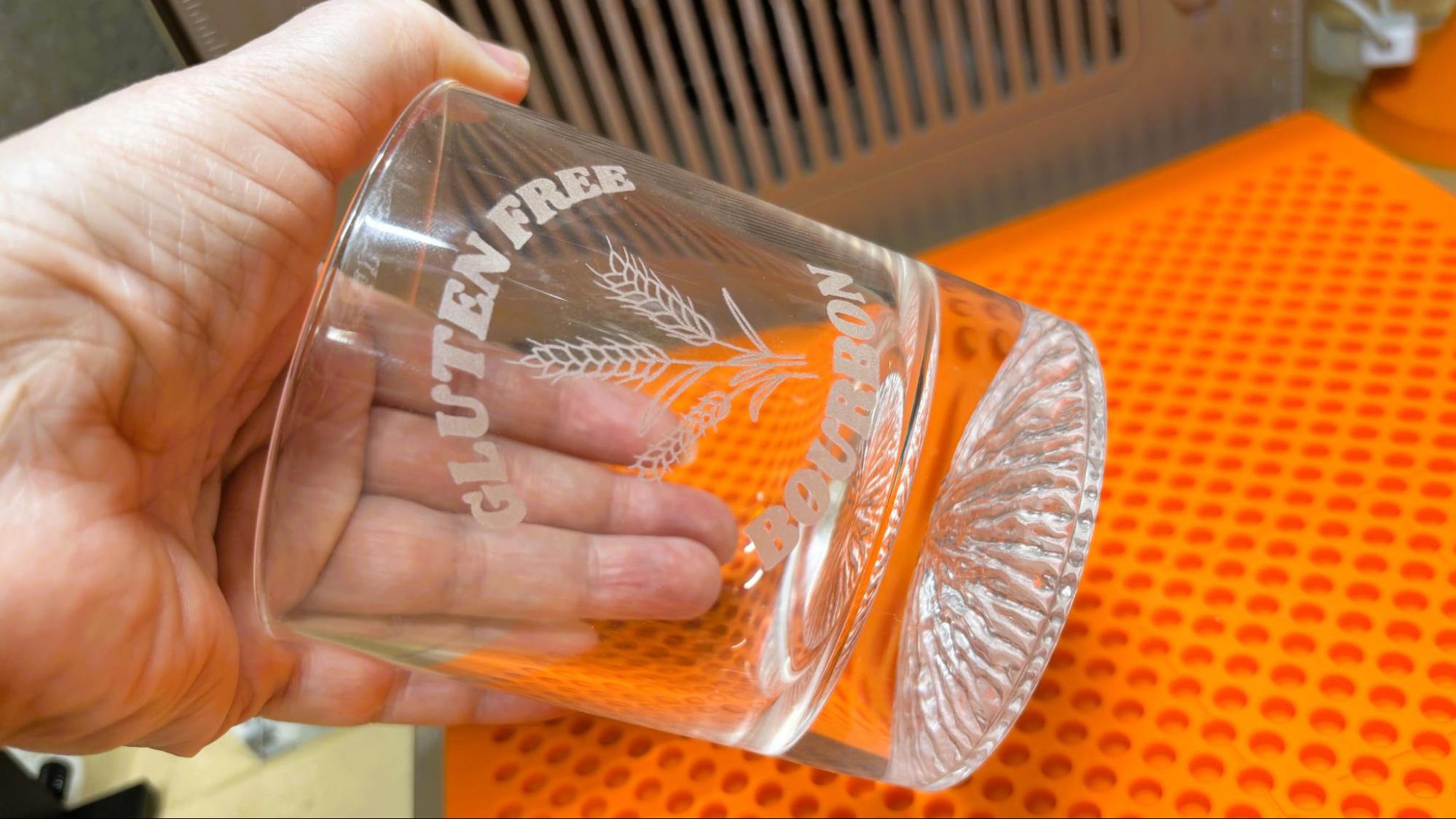
The xTool F2 Ultra UV does an excellent job engraving directly on glass. I used clip art and text from Canva and inverted the image using the free tool in xTool Studio. The image must be inverted to etch correctly on glass. Using 80% with a dot duration of 400 and 1 pass, this took 4 minutes and 15 seconds and looks fantastic. Sadly we were out of bourbon to show it off.
The switch to the inner engraving lens is mostly painless. Mostly. It’s a little unsettling since the lens is far inside the body of the laser housing, so I was working by feel to make the swap. The riser bolts easily onto the middle of the base with two thumb screws.
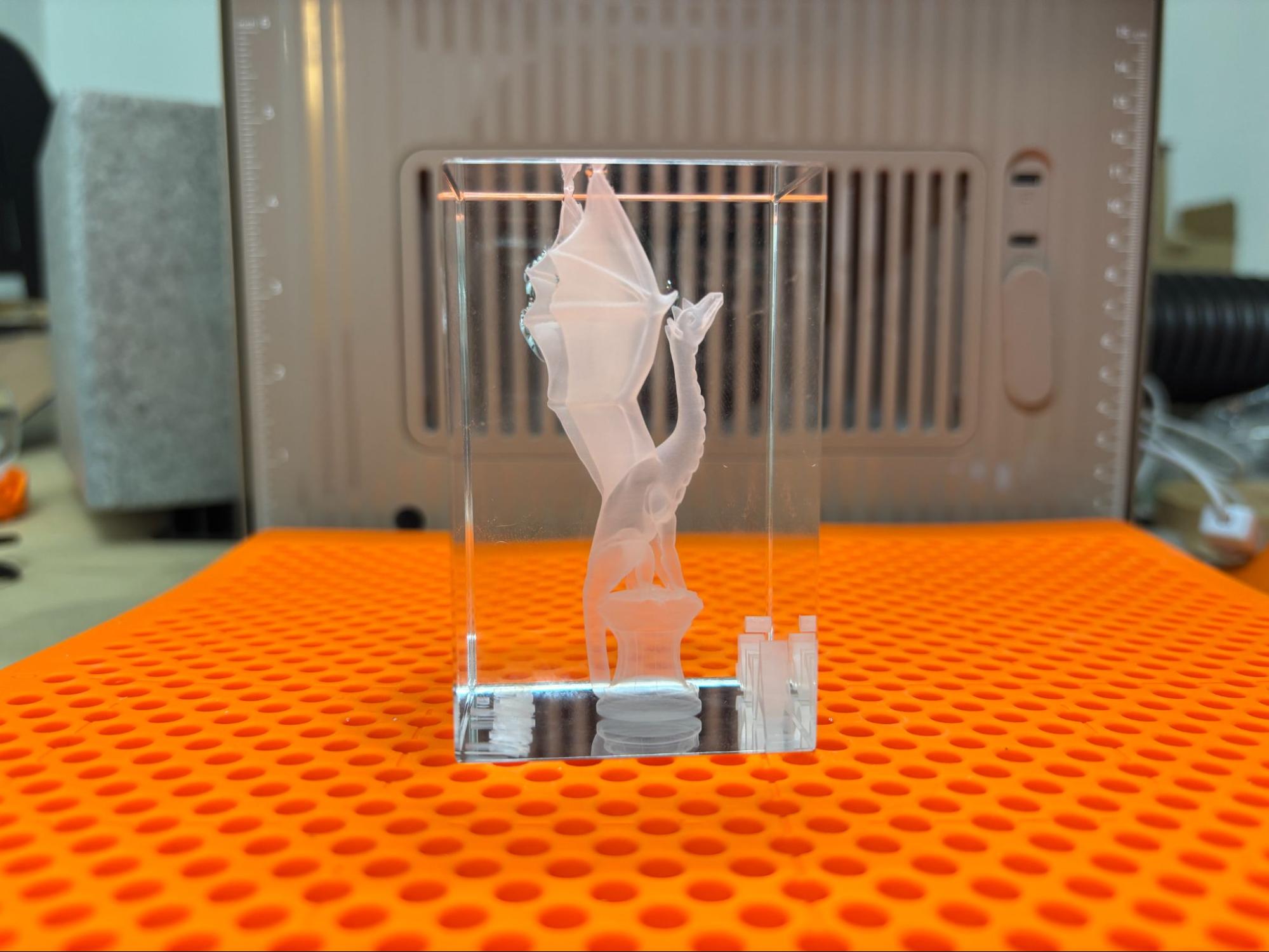
Because inner engraving is three-dimensional, you can use “normal” 3D printing STL files. For the first inner engraving, I chose a classic: Aria the Dragon by Loubie3D.
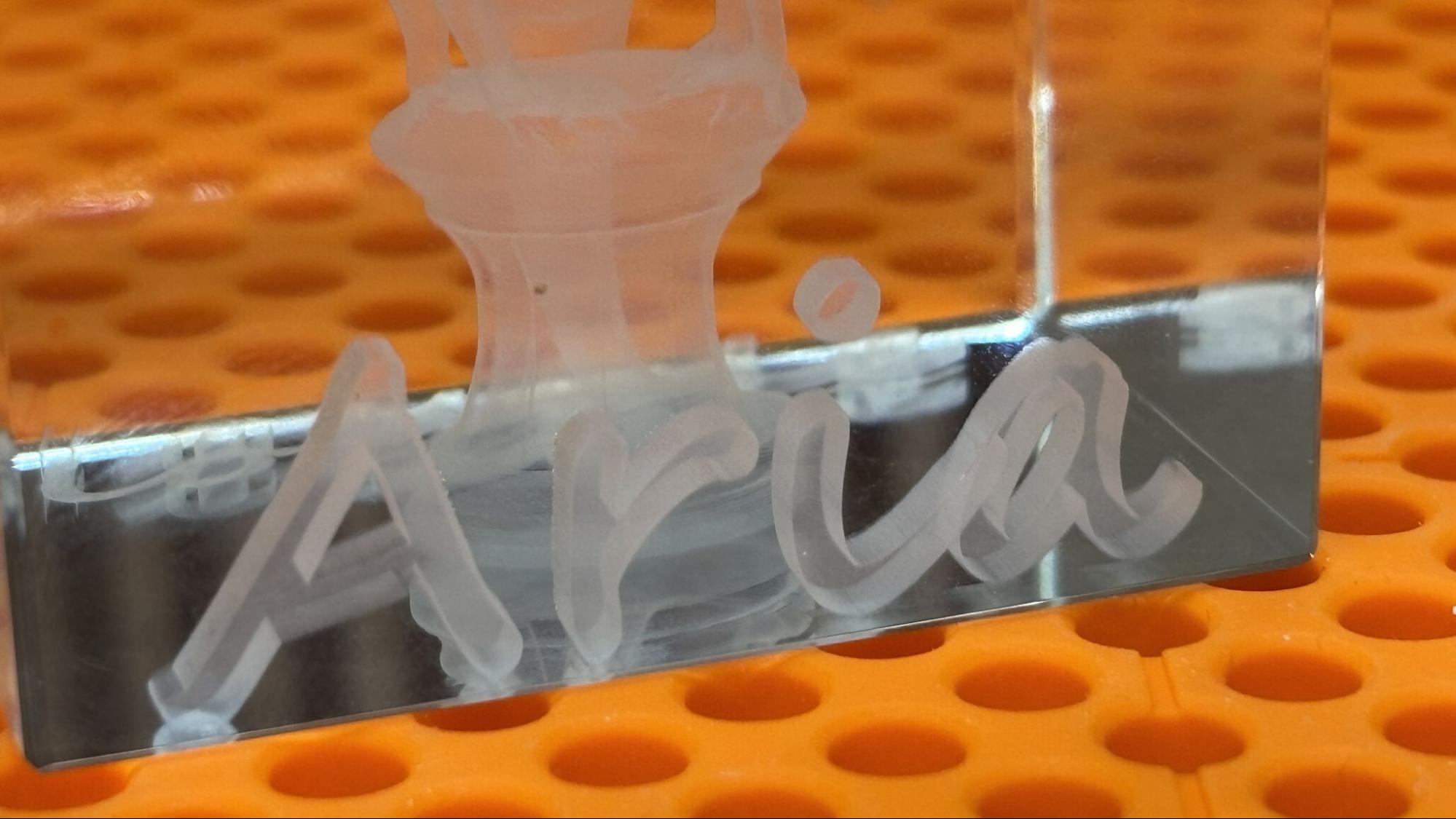
I also added text to the bottom of the engraving. This was when I realized that the Z-axis needed to be calibrated for inner engraving, so now I have Loubie3D etched on the surface of the riser permanently. After calibrating the Z-axis, the inner engraving work area must be calibrated too.
The inner engraving looks like magic and takes quite a bit of time to process. Using the dotting engraving method at 70% power and 200 dot duration, with a .01 layer height and a .02 point spacing, the engraving took 5 hours and 7 minutes. The result, other than the riser being engraved too, was amazing.
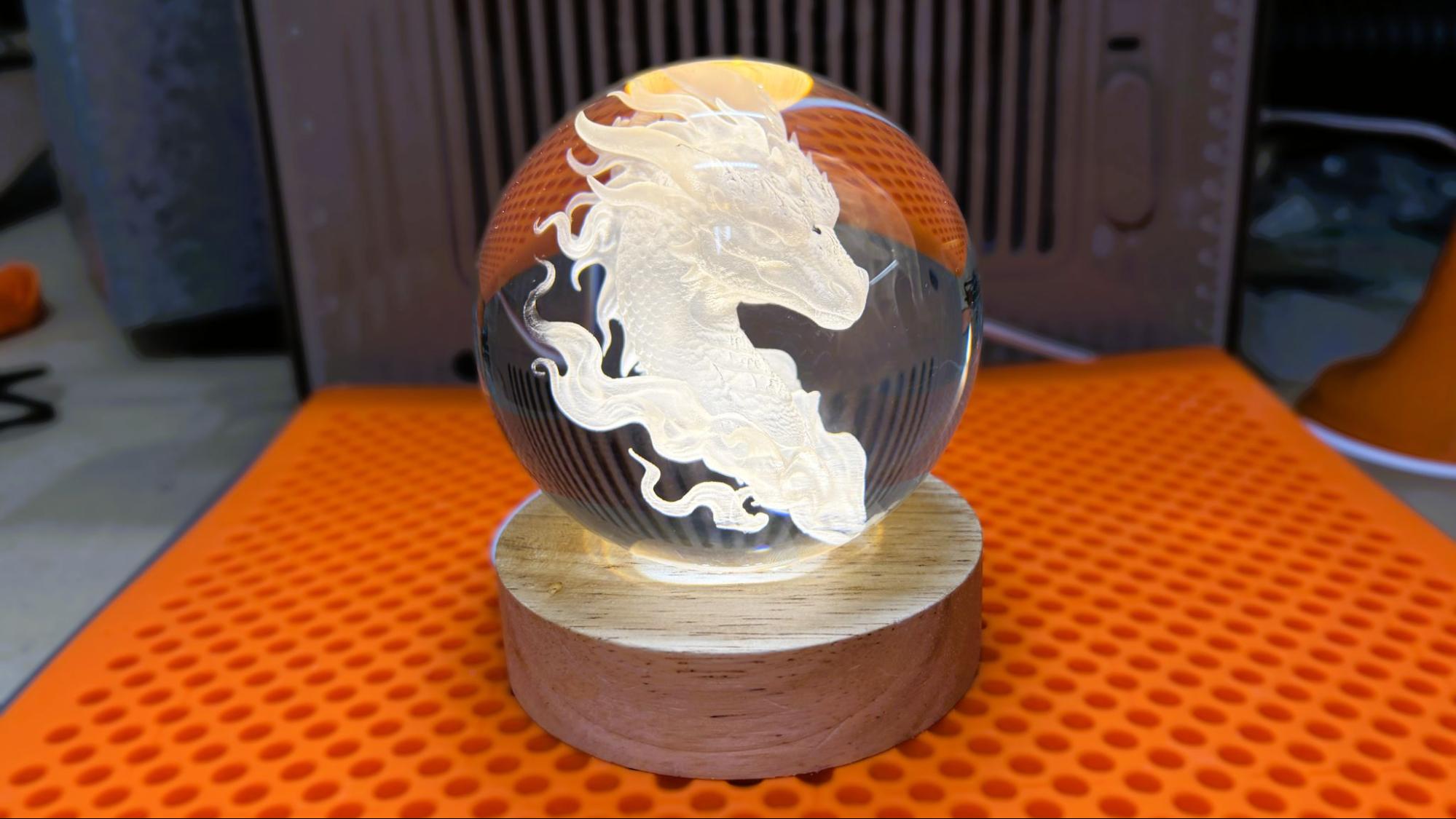
Probably the most impressive thing I’ve ever engraved is this crystal ball. Engraving a crystal ball is more of a production than the other inner engraving, since it requires the ball to be immersed in liquid that is approximately the same refractive index as the crystal. We used mineral oil and initially attempted to use a Pyrex measuring cup to hold everything in place.
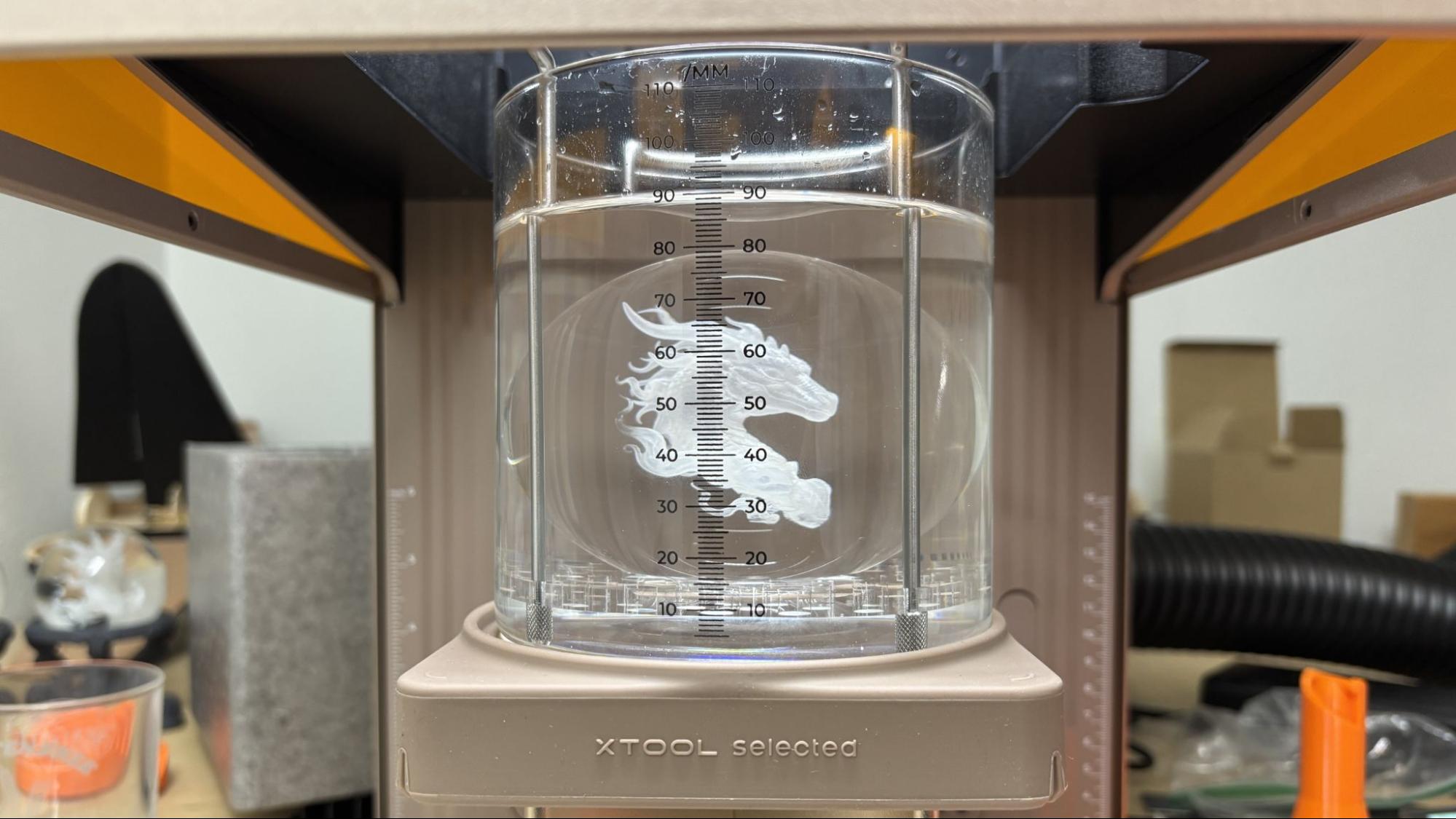
Based on that experience, I highly recommend the xTool kit, which includes the silicone pad to keep things centered and a beaker with easily read measuring lines. It was nearly impossible to center the engraving without this. Even with the xTool kit, it requires a steady hand to avoid slopping oil around.
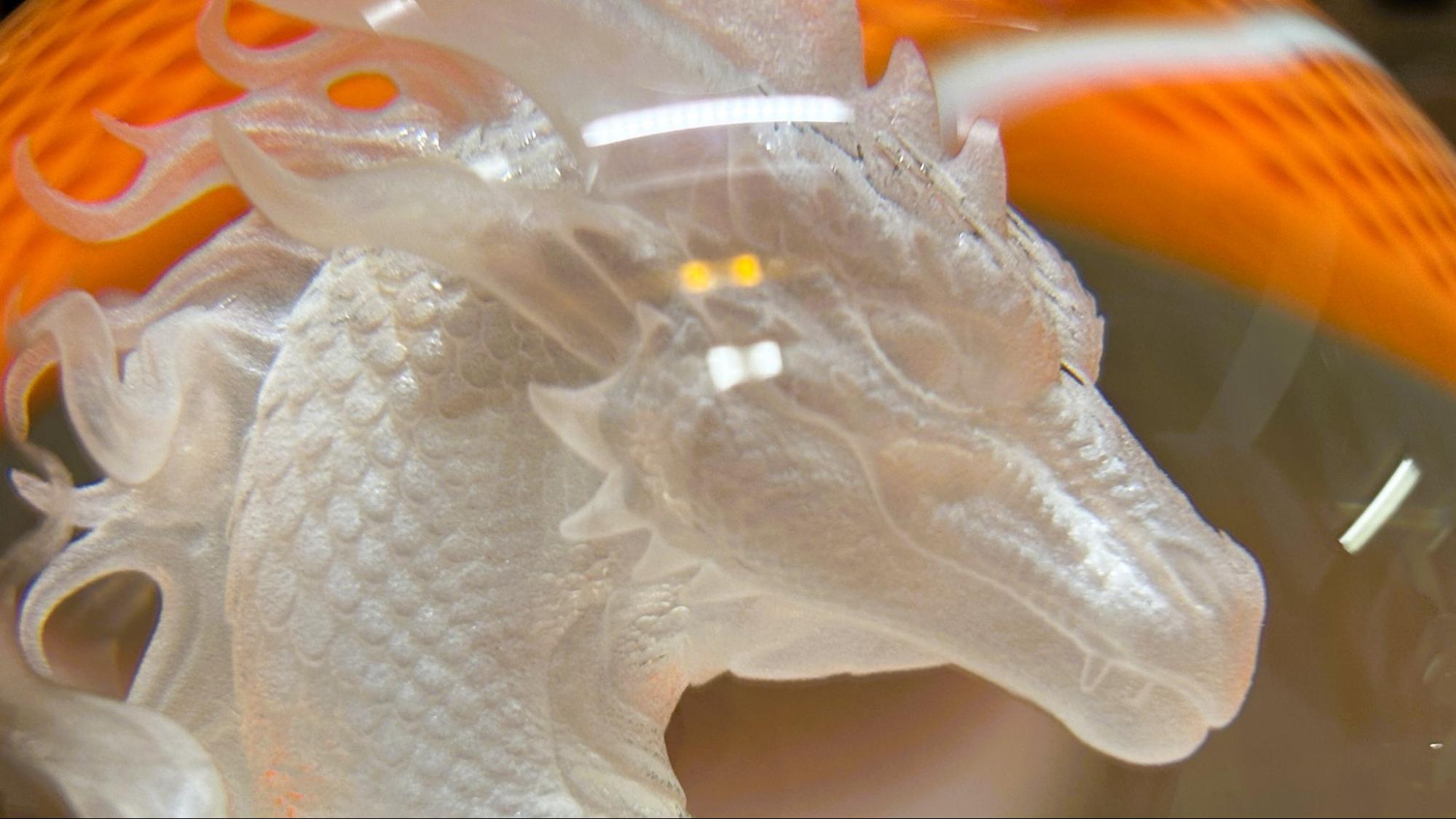
The engraving took 5 hours and 7 minutes at 40% power and a dot duration of 180 with a .04 layer height and a .02 point spacing. The resulting detail is just phenomenal.
Bottom Line
I feel like I’ve just scratched the surface of what the xTool F2 Ultra UV can do. While it cuts and engraves wood as well as most of the lasers I’ve tested, its ability to engrave glass and plastic is unusual. The inner engraving is just magic, bordering on witchcraft. It does not take a rocket scientist to see the sales potential of items easily crafted with this machine.
Starting at $4,299, the F2 Ultra is a bit of an investment. But it earns its keep by delivering outstanding crystal engravings that no other laser can deliver.
If you’re not ready to make such a sizable investment, the portable xTool F1 laser is still available for $819 and is great for taking to festivals for personalizing merch on the go. If you want to laser large things safely tucked inside an enclosure – including clear acrylic – check out the xTool P2 CO2 laser, which is on sale for $3,399.