Five years ago, there was very little variety in the types of portable monitors available for consumers. You had a few options from well-known desktop monitor brands, and that was about it. However, in the past few years, we’ve seen a large uptick not only in form factors for portable monitors, but also in the adoption of leading panel technologies like OLED.
ViewSonic is a well-known player among the best portable monitors, and we’ve reviewed several of its entries. The latest to grace our lab is the VG1457. This is a dual-display monitor that is quite different from the typical competitors in this space. Rather than having the two displays flank a laptop’s built-in screen with a “spine” connecting them, the VG1457 features two panels stacked on top of each other, joined by a 360-degree hinge.
Due to this design, the VG1457 can be used in several types of orientations across multiple screen modes. And with a sub-$350 price tag, it represents a relative bargain for mobile warriors.
Design of the ViewSonic VG1457
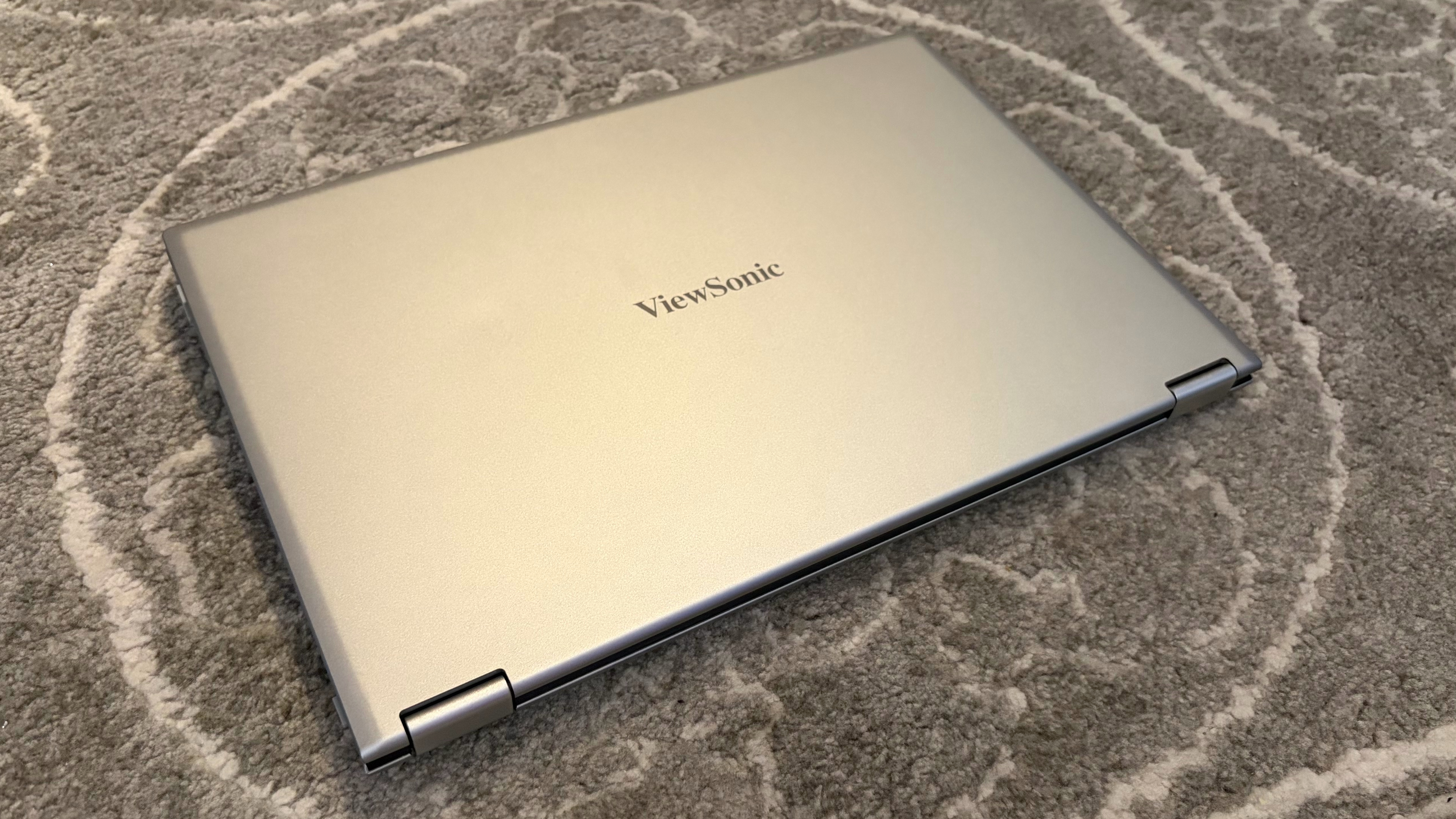
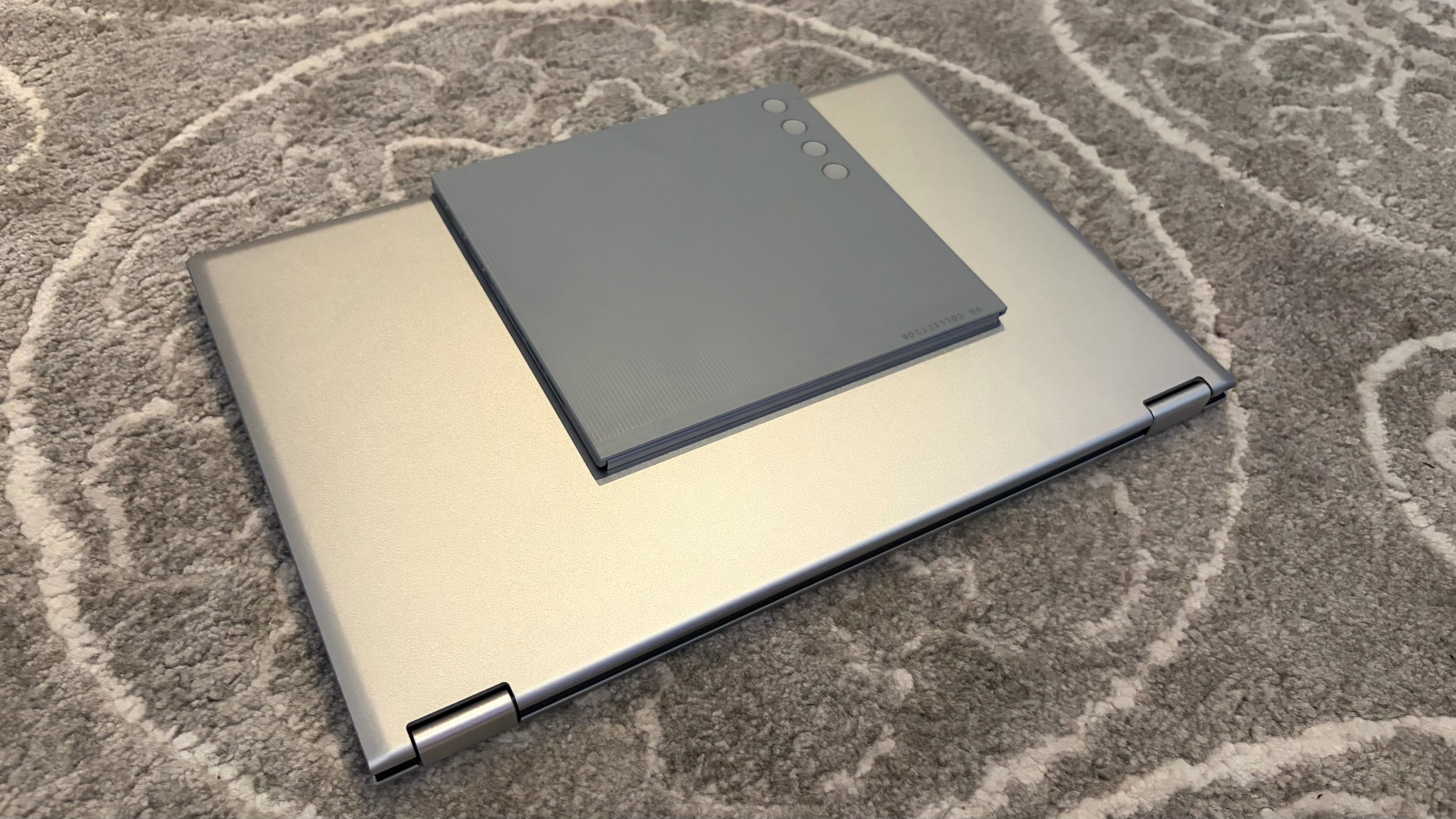
The VG1457 features a remarkable design, incorporating two display panels in a relatively light and compact form factor. Since ViewSonic doesn’t have a thick and heavy frame that needs to support two outstretched panels, the VG1457 only weighs 2.6 pounds (about double that of a portable monitor with a single display). And when folded, it has roughly the same footprint as a single-panel portable monitor (albeit thicker).
Each panel measures 14 inches across and features 1200p resolution. In its default landscape orientation, the VG1457’s panels are stacked on top of each other, with two 360-degree hinges connecting them. However, if you prefer, you can stand the panels up so that they are in portrait mode, with the two panels sitting next to each other, book-style.
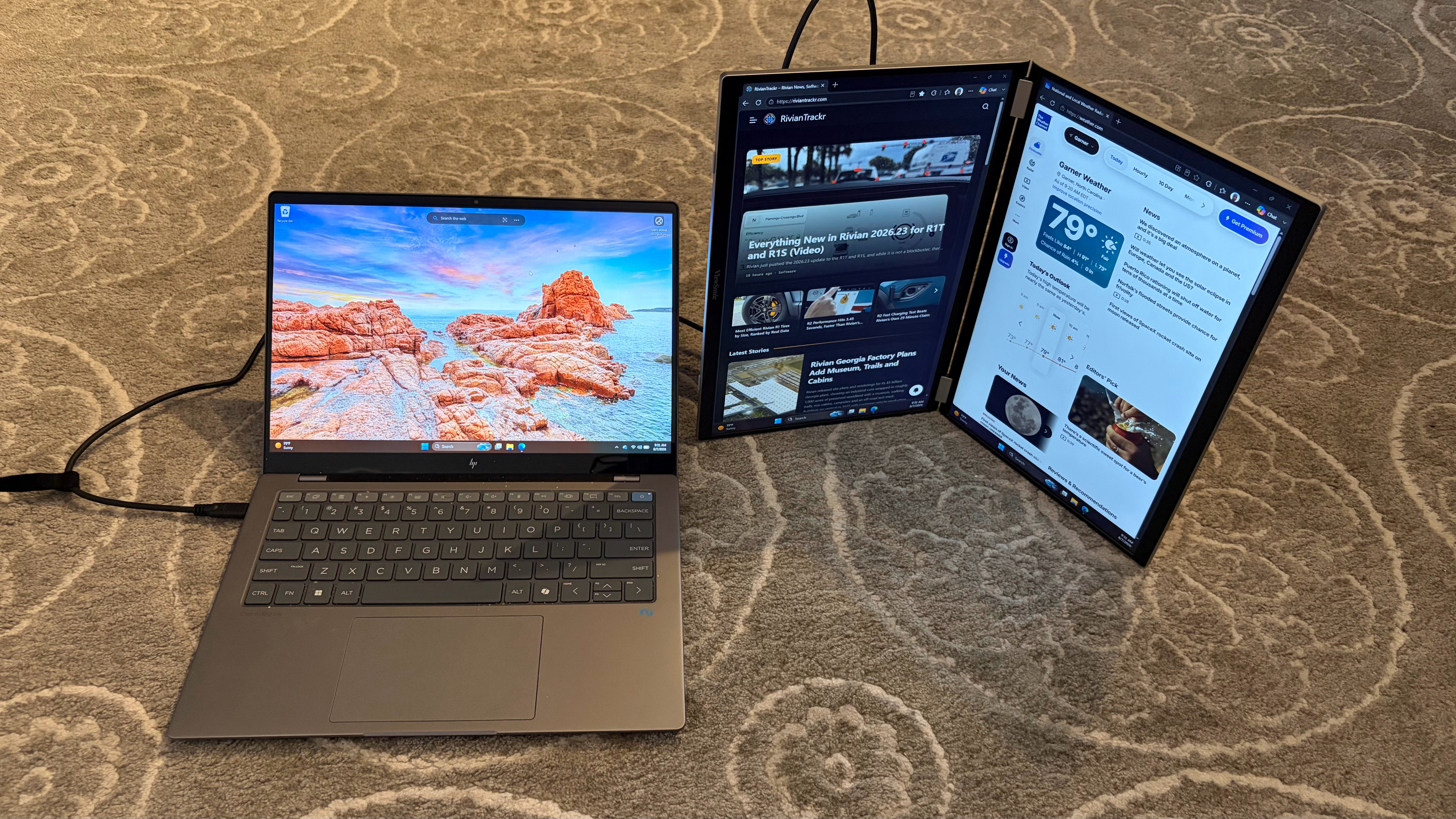
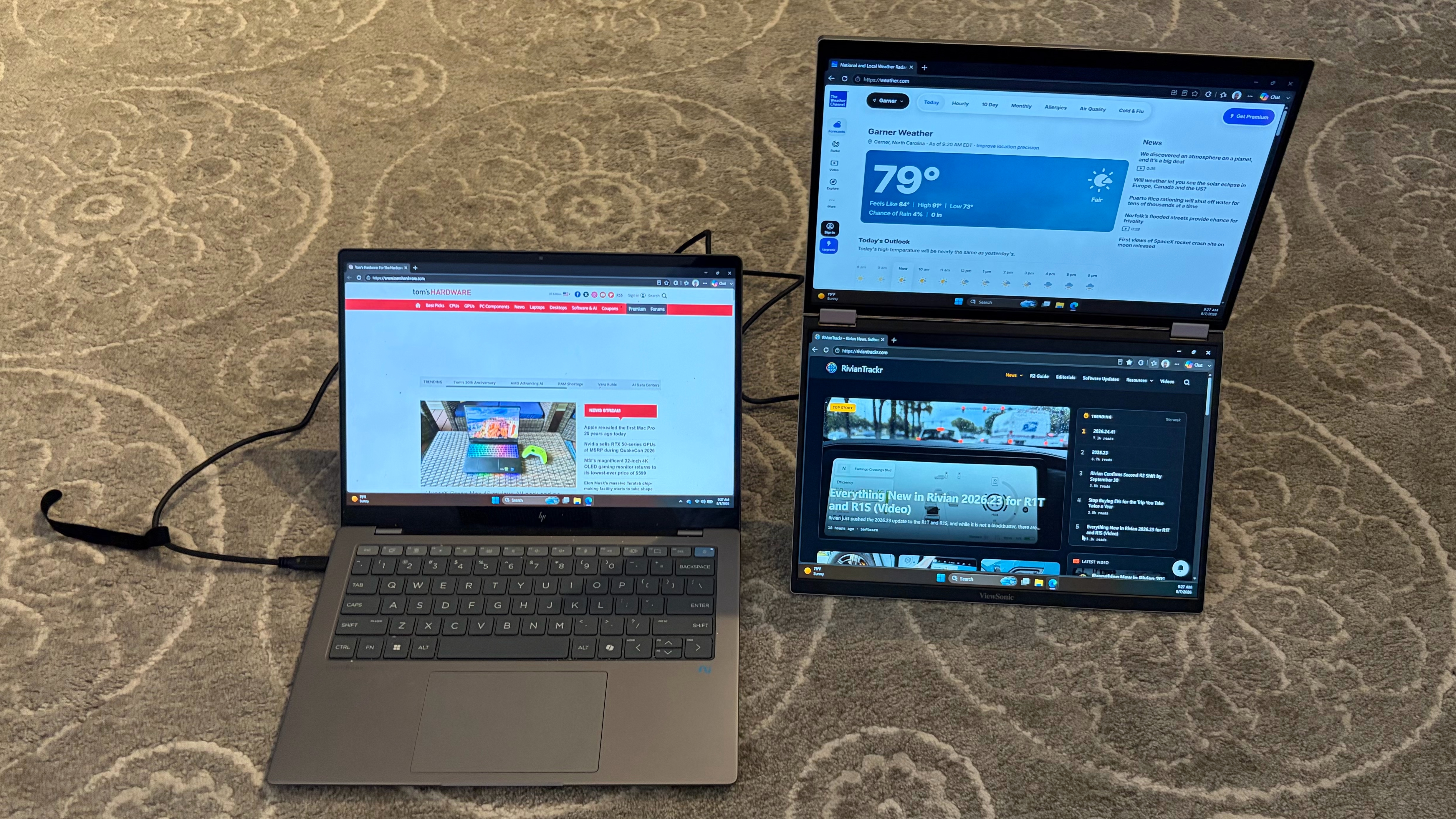
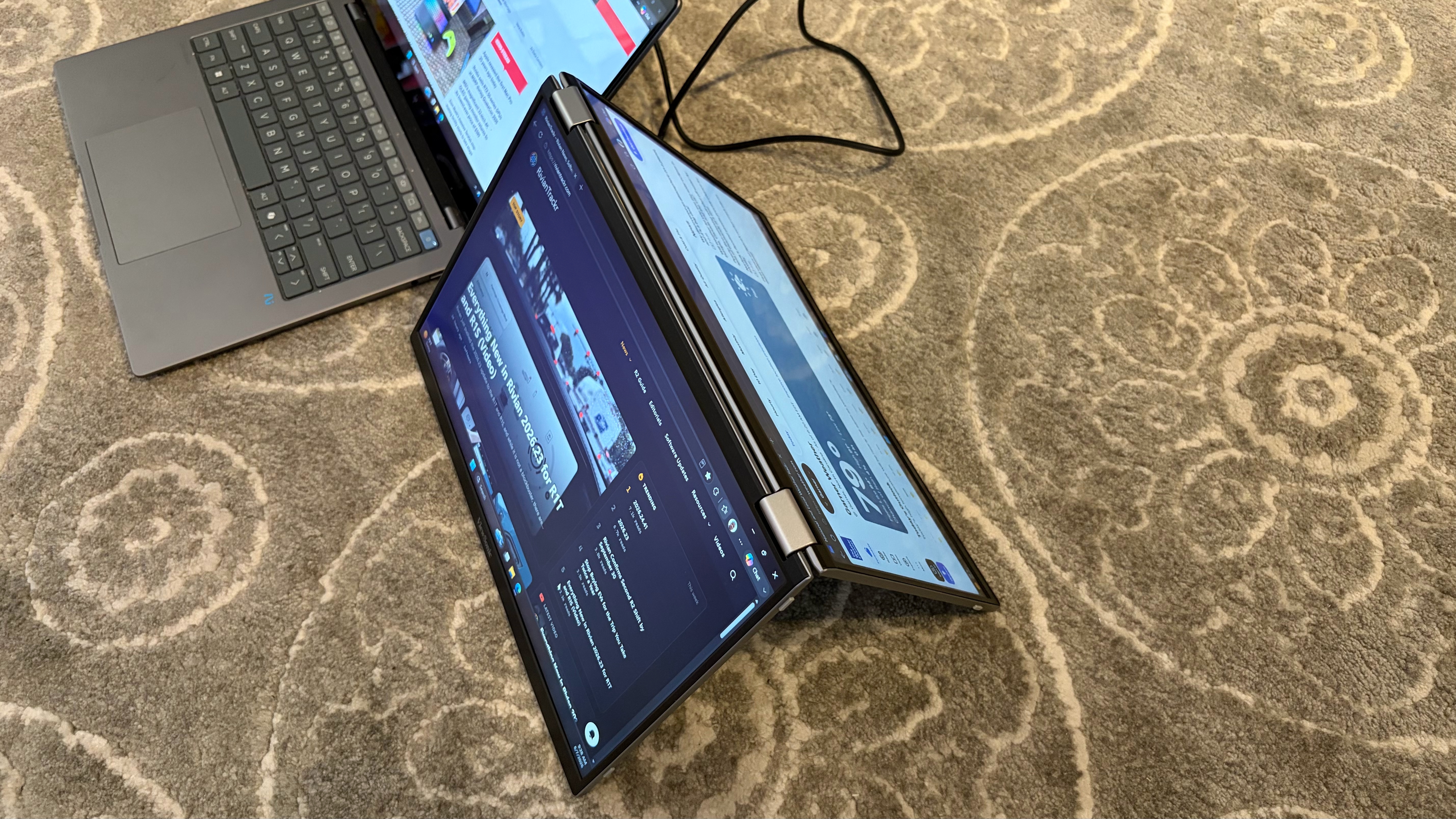
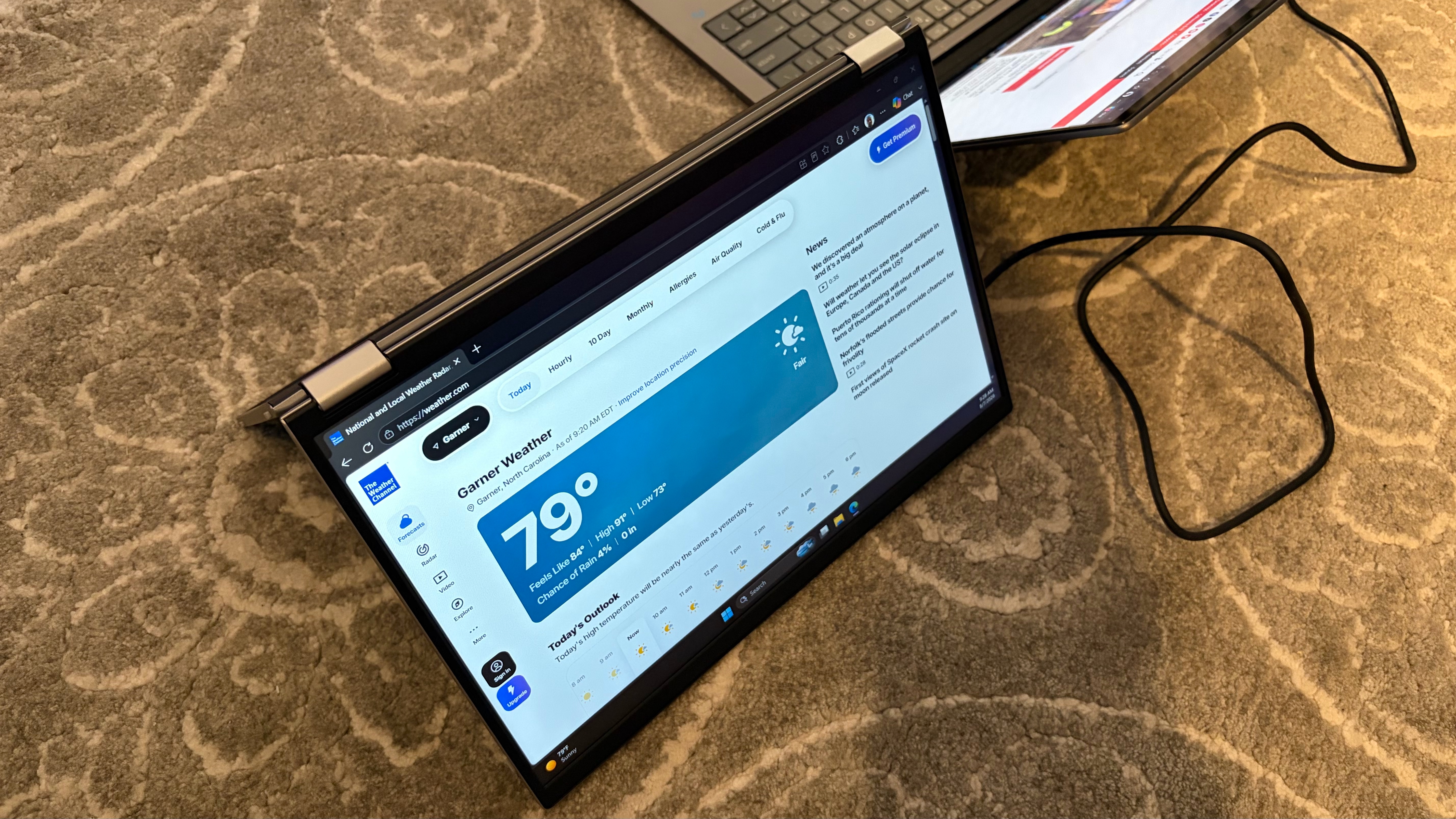
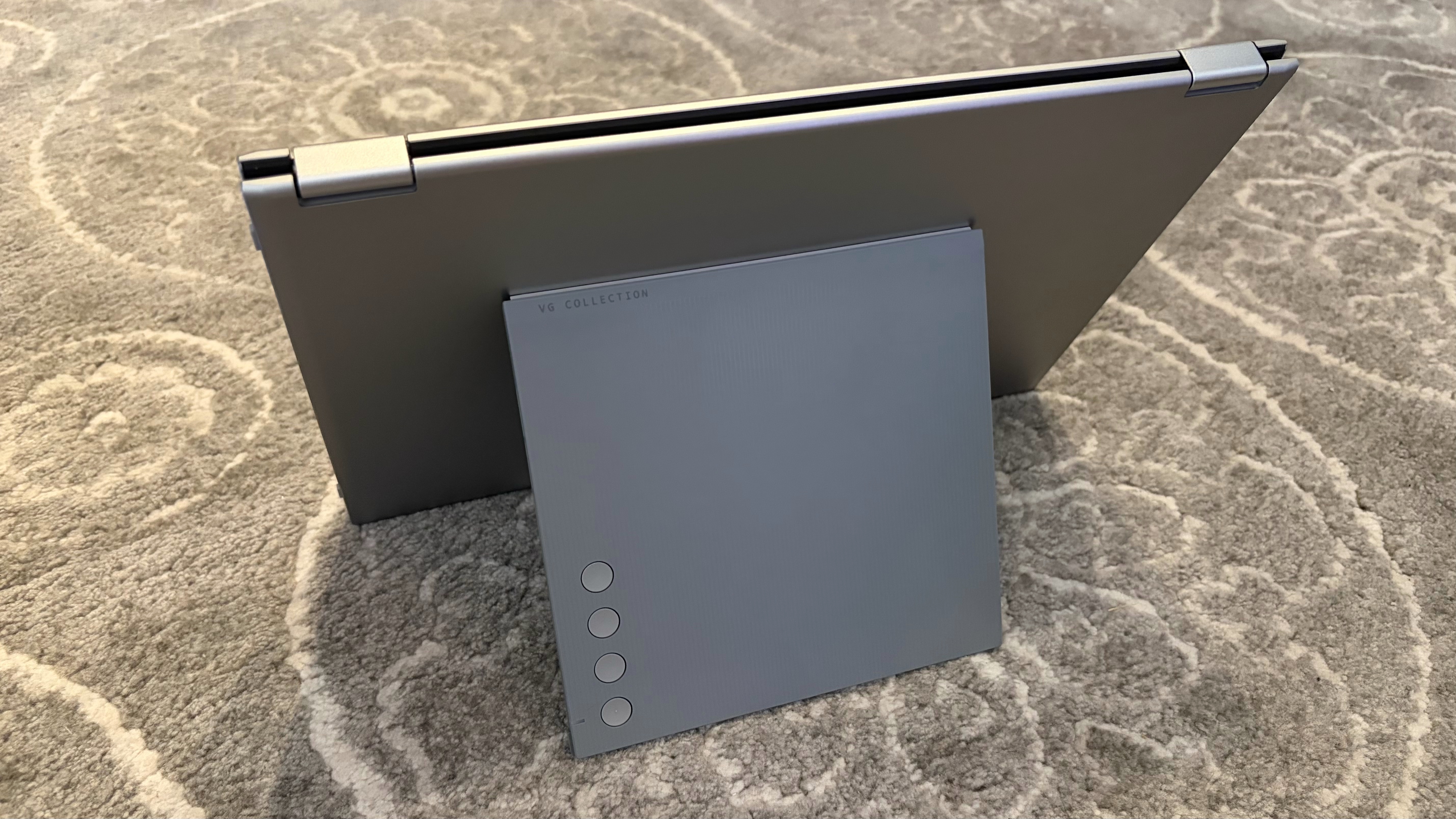
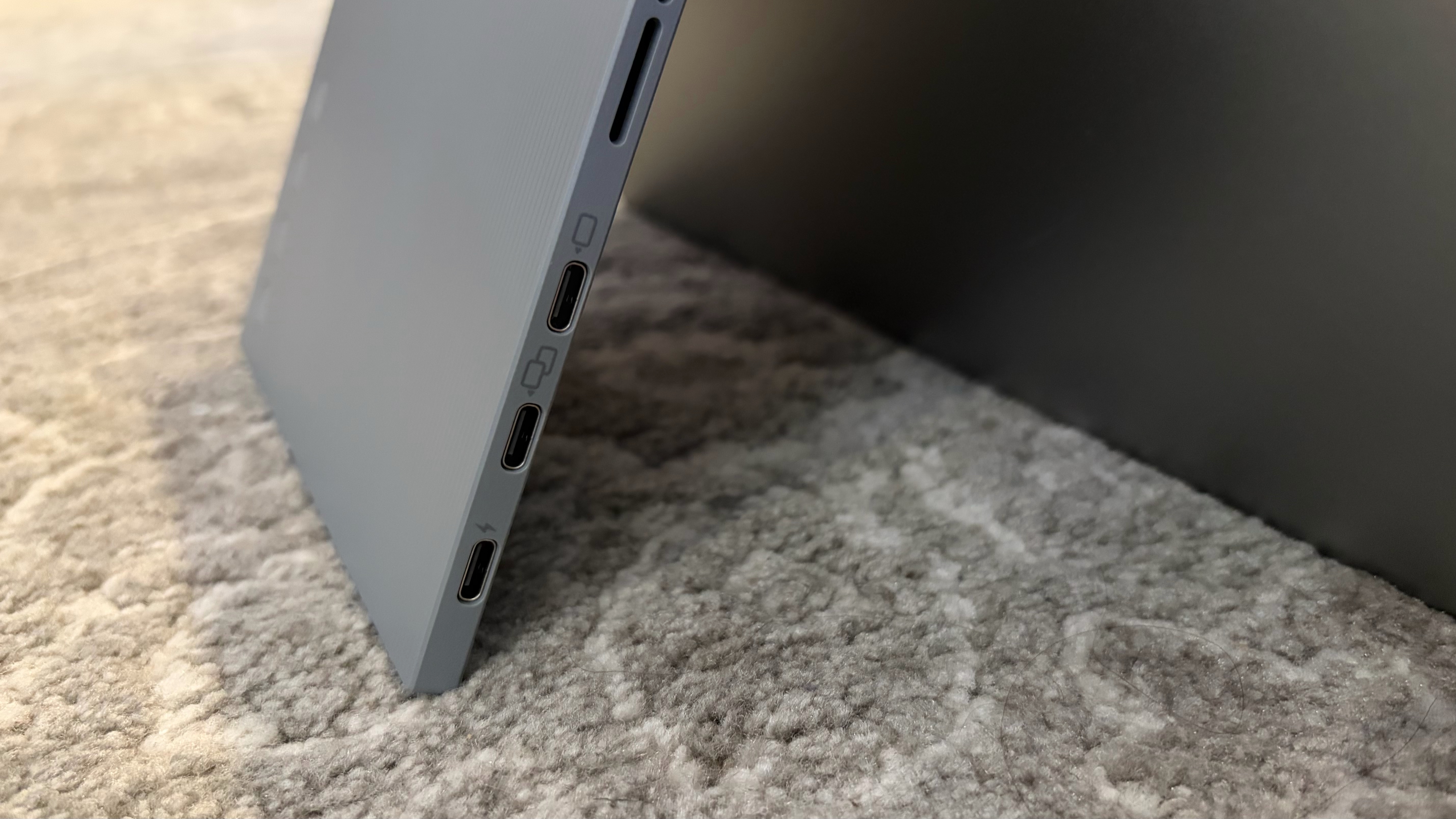
In either viewing mode, the twin panels are supported by an adjustable kickstand. The kickstand incorporates dual 2-watt speakers and three USB-C ports. The bottom USB-C port is used exclusively to power the monitor, while the other three USB-C ports can handle power and video, including two-way power delivery up to 65 watts. I was able to power the VG1457 using a single USB-C cable connection to an HP OmniBook X laptop.
ViewSonic includes two USB-C cables and a 65-watt USB-C wall adapter in the box. A felt carrying case is also included, which is sufficient for protecting the VG1457 while traveling. It’s not substantial enough to protect the displays from damage if you drop it, but it should prevent more superficial damage to the displays.
ViewSonic VG1457 Specifications
Panel Type / Backlight | IPS |
Screen Size / Aspect Ratio | 14 inches / 16:10 x2 |
Max Resolution & Refresh Rate | 1920 x 1200 @ 60Hz |
Typical Brightness | 250 nits |
Contrast Ratio Typical | 800:1 |
Ports | 3x USB-C |
Speakers | 2x 2-watts |
Weight | 2.6 pounds |
Warranty | 3 years |
ViewSonic VG1457 Operating Modes and OSD
The 360-degree hinge design allows the VG1457 to be used in various orientations. The most popular will likely be landscape mode, with the panels stacked. Portrait mode has the two panels side by side, which would be beneficial for editing two Word documents simultaneously, for example.
There’s also a “tent” mode, which would allow you to have one display facing you, and the second facing away from you (i.e., for someone sitting on the opposite side of the table from you). The VG1457 can automatically rotate the screens to the correct visual orientation using the Auto Pivot feature.
In addition to these orientations, there are also several operating modes. Mirror Mode will simply duplicate what’s on your laptop’s screen to both of the VG1457’s displays. Extend will allow you to have a separate image across each display (laptop and both VG1457 displays). Full Screen mode will display one source/image across both of the VG1457’s displays. Finally, dual source mode allows each of the VG1457’s panels to take input from a separate source. For example, one panel could use a laptop as a source, while the second panel could use a tablet as a source.
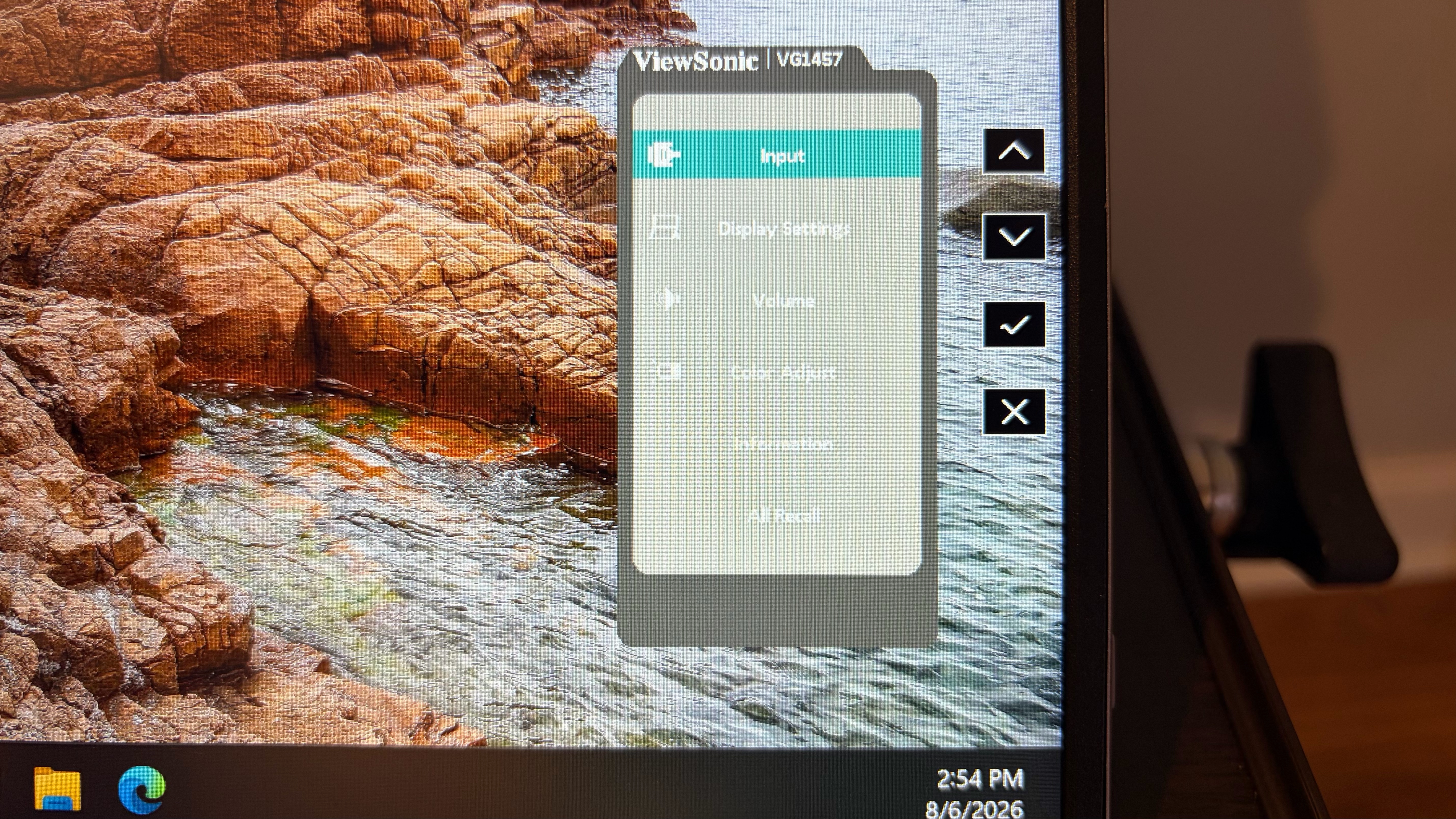
As for the OSD, it’s controlled by four circular buttons on the right side of the kickstand. It took a little while to get used to, as once a button is pressed, you have to pay attention to the position of the on-screen menus and what button they correspond to. I had to do some mental gymnastics to navigate the interface somewhat smoothly.
The Display Settings menu allows you to choose between Mirror, Extend, Full Screen, and Dual Source modes. The only other configurable options are under the Color Adjust Menu, where you can only adjust Contrast and Brightness. When you’re not in the OSD, you can use the buttons to individually control brightness and speaker volume.
Display Performance on the ViewSonic VG1457
The VG1457 uses twin 14-inch 1200p IPS panels with a standard 60 Hz refresh rate. Both panels are covered with an anti-glare finish to reduce distracting reflections.
ViewSonic says that the panels are rated for up to 300 nits maximum brightness, but that wasn't the case with our review unit. Instead, we saw just 201 nits, ranking it in fourth place of five dual-screen portable monitors that we've recently tested. Only the KYY X90D was dimmer at 181.4 nits at full power.
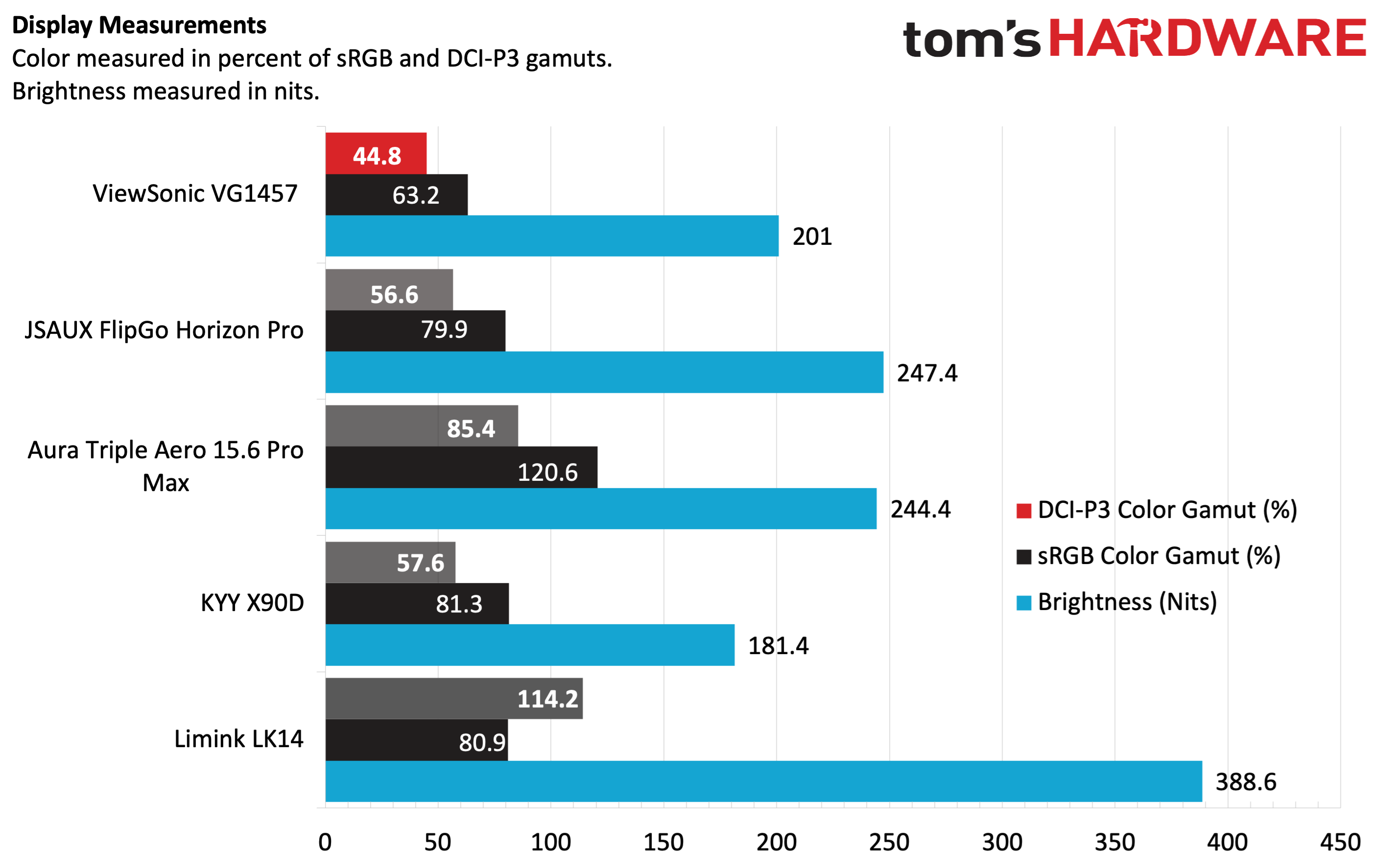
Color performance was also not up to par compared to its peers; we measured just 44.8 percent coverage of DCI-P3 and 63.2 percent of sRGB. Both figures put it at the back of the pack, and by a large margin.
It's one thing to be able to boast (or not boast) about color performance with instrumented tests, but how does the VG1457 look in real-world applications? For my needs, I spend a lot of time in Word, Excel, Microsoft Edge, and Pixelmator Pro. And for those use cases, it was "fine." Colors weren't particularly vibrant, and I wished that the brightness of the VG1457's panels at least matched the brightness of the native 14-inch display on the OmniBook X that I was using as a test system.
Watching movies was also just an "OK" experience, with muted colors and lots of grey undertones when watching dark scenes.
The VG1457 also includes a pair of 2-watt speakers, which sounded OK. They're serviceable for handling your Google Meet or Zoom calls, or listening to some music in the background while you work. However, they are by no means high-quality speakers that will blow your socks off.
Bottom Line
The ViewSonic VG1457 has a lot of positive qualities that I appreciated. Its relatively compact and lightweight frame (for a dual-screen monitor) is a boon for travel. Many dual-screen monitors are “portable” in name only, and would be a chore to carry around; however, I was able to slip the VG1457 into my laptop backpack with ease. I also like that there are three USB-C ports supporting 65-watt power passthrough to your computer or other peripherals.
On the other hand, color performance and brightness were lackluster compared to the competition. You won’t be happy if you’re looking to use the VG1457 for watching videos or photo editing. Still, for more basic productivity tasks or presenting (which is its primary mission anyway), it’s more than adequate.